Business phone service · San Jose

The business phone that does the follow-up.

Calls, texts, fax, scheduling, invoices and your office computers in one place, set up and supported by a local team you can actually call.

Serving Bay Area offices since 2009Keep your numberMonth to month
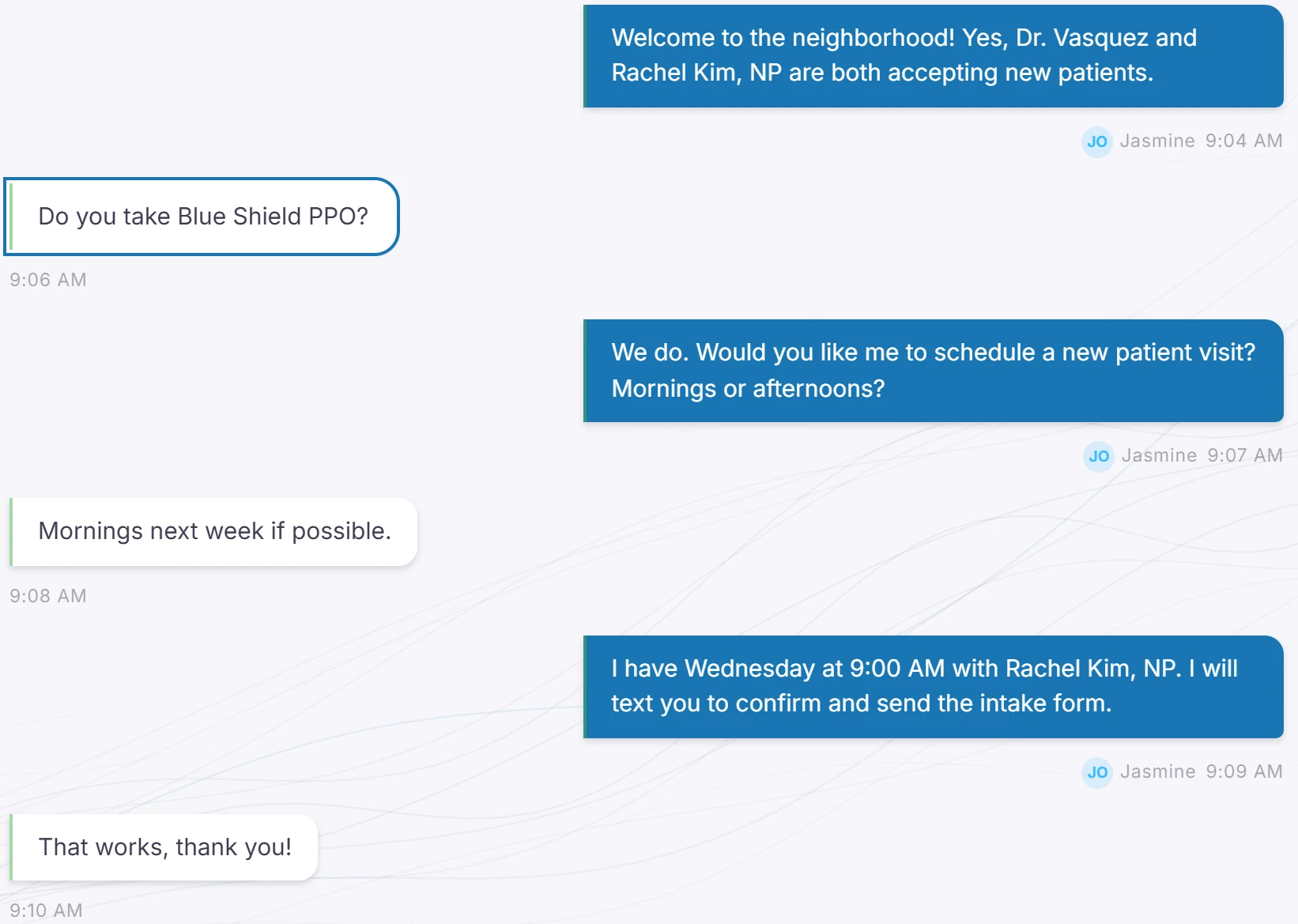
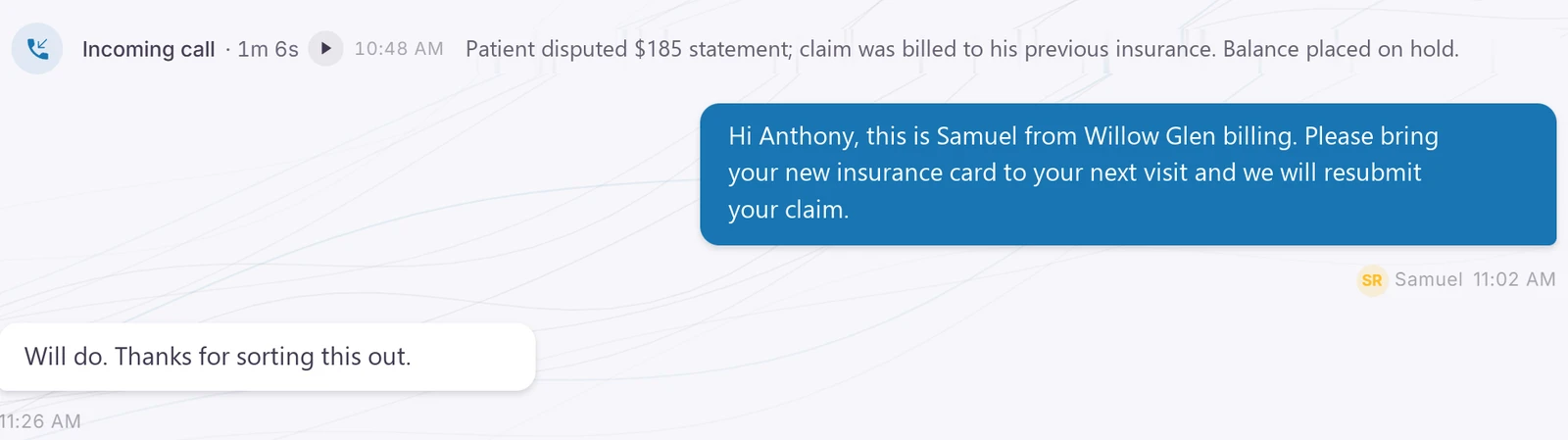
A patient conversation: an answered call summarized as a billing dispute, a text asking him to bring his new insurance card to his next visit, and his reply.
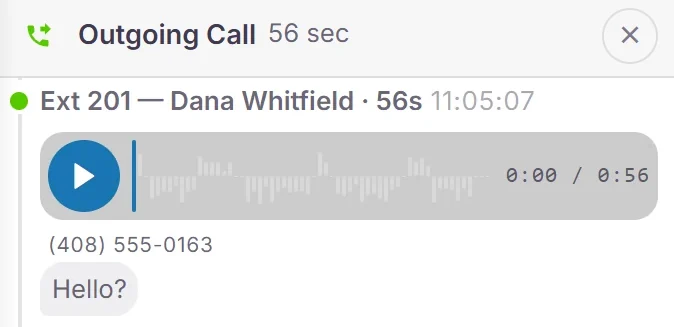
Recorded callCall details with a playable recording.
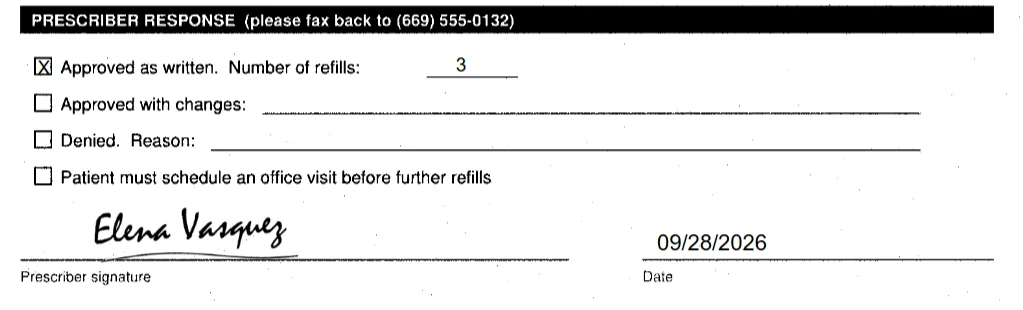
A pharmacy refill request signed by the doctor inside the app.
✓ Signed and faxed back · 8:54 AM

Built for offices of 5 to 100

  • Medical and dental
  • Home services
  • Professional offices
  • Property management

How it works

Where do you see your customers?

A Tuesday at a two-office family practice.

Willow Glen is the main office. Campbell is across town with a smaller team. Here is how the day goes when the phones, the faxes, the schedule and the to-do list all live in one place.

Screens come from the real app, running a demo practice with sample data. Drawings are marked as illustrations.

7:55 AM

First one in. The overnight messages are already typed out.

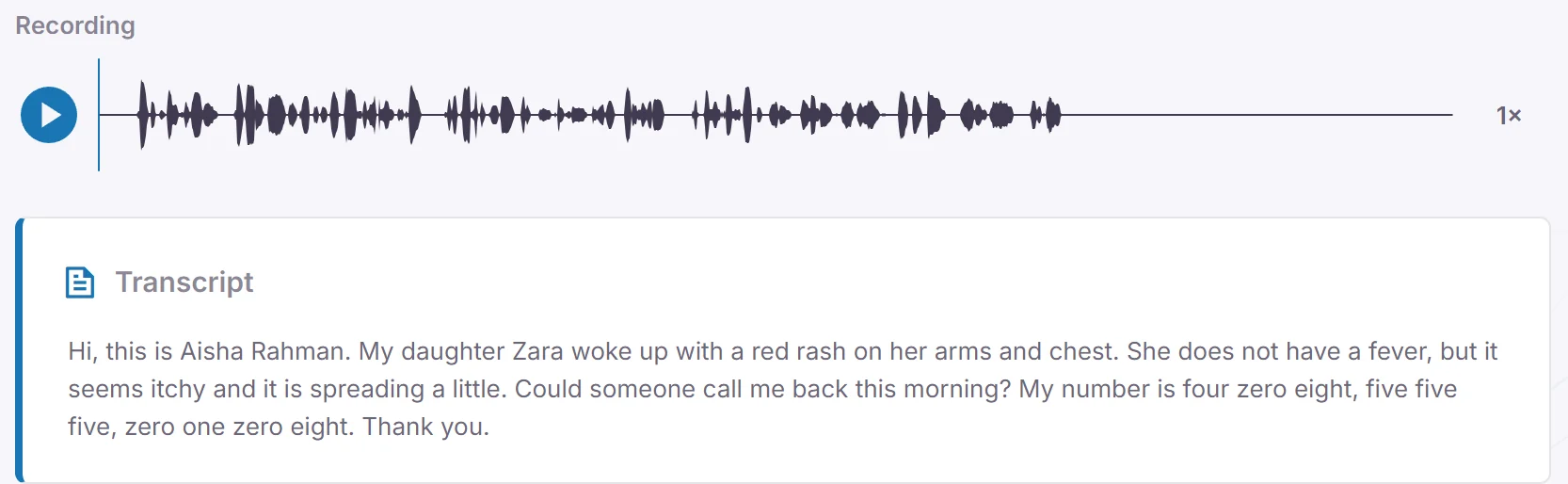
Three people called after close, and every one of them is on screen as text before the coffee is done. The rash call is flagged urgent and sits at the top, with a callback task already waiting.

  • Voicemails transcribed, urgent ones flagged
  • Callback tasks made overnight
  • After-hours messages in the same list
More about voicemail and the inbox →
Urgent · openedThe urgent voicemail opened, with its audio waveform and full transcript.

Top card: illustration. Bottom: the real voicemail screen.
8:00 AM

Campbell's receptionist is out sick. Their front counter opens anyway.

The office manager opens the Front Desk from her kitchen table and is on the Campbell counter tablet for the whole shift. Patients walk up and talk to her like any other morning, and she keeps working in the rest of the app with the lobby in a small window.

  • Two-way video at the front counter
  • Staffed from home, the other office, or anywhere with a camera
  • Step away, and the tablet shows when she'll be back
More about the remote receptionist →

A San Jose dental office has checked in every patient this way, every day, for months. It replaced what they were using before, and they say it's far less awkward than running a front desk over a video meeting app.

Illustration based on the real tablet and app screens.

8:40 AM

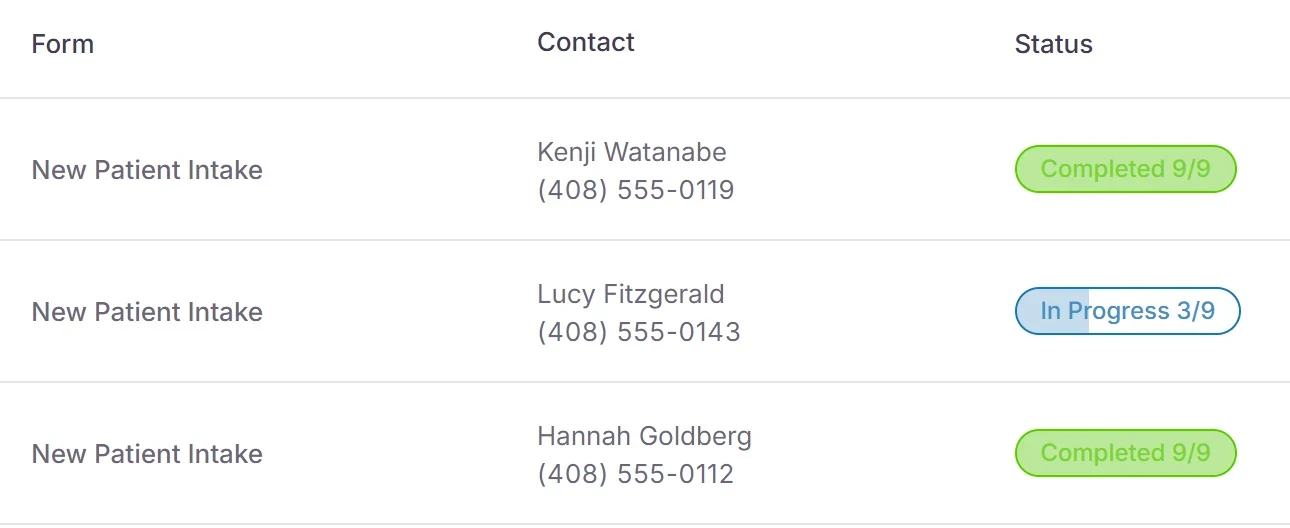
The 9:00 new patient is stuck on page 3 of 9.

Two of this morning's new patients finished their intake last night. The third stopped partway, so the front desk texts a nudge, and the form gets finished and signed from the parking lot. The PDF is in the chart before she's roomed.

  • Intake forms sent by text or email
  • Signed on their phone
  • See who finished and who stalled
More about forms →
Form submissions for new patient intake: two completed, one in progress at 3 of 9.
9:50 AM

Mid-morning, the refill requests stack up in the Pharmacy folder.

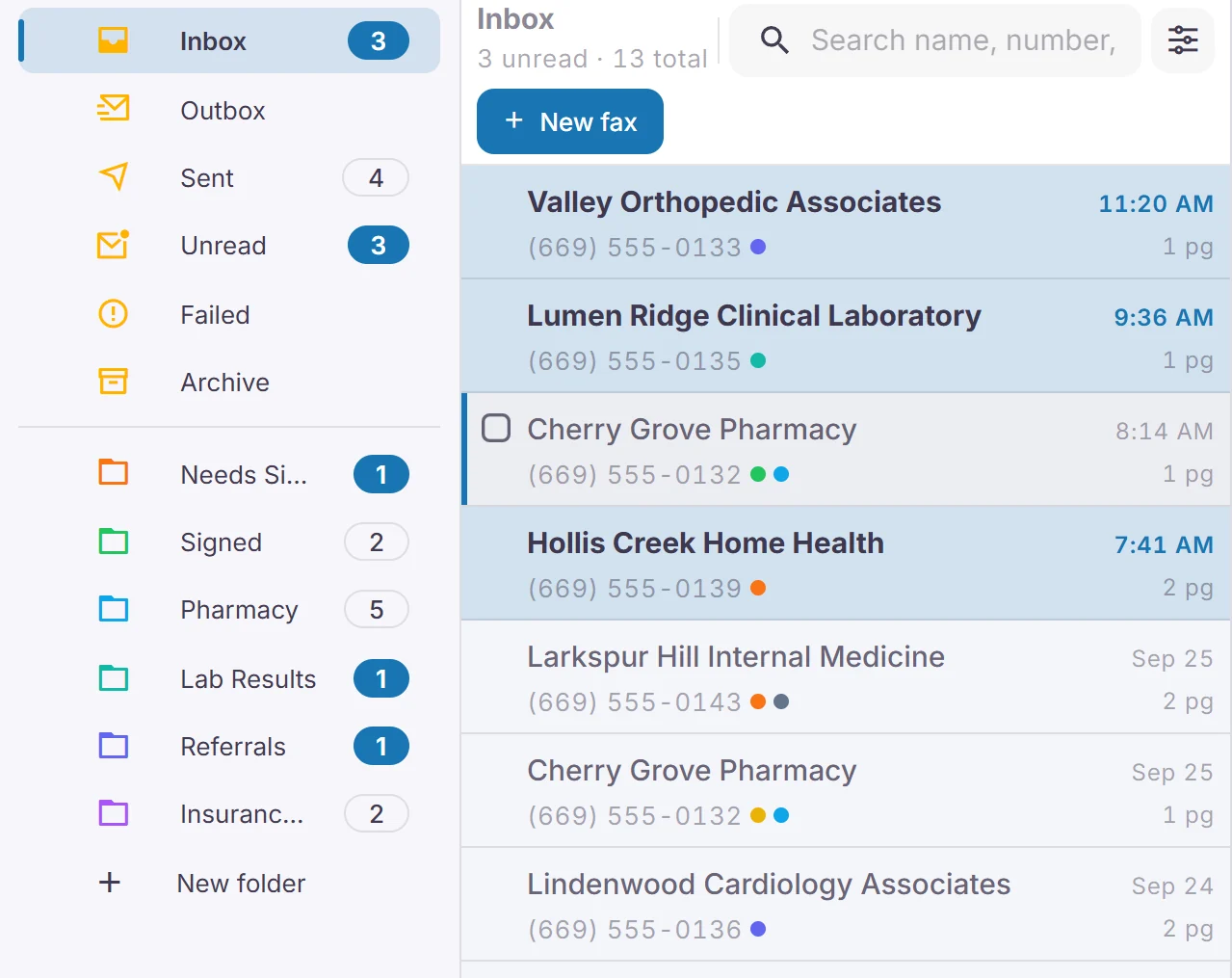
Four pharmacies have faxed by now. The doctor signs each one on screen between rooms, and the signed copy goes straight back to the pharmacy. Nobody walks to the fax machine.

  • Faxes sorted into folders
  • Sign and return on screen
  • Confirmation on every send
More about fax →
A fax inbox with folders for pharmacy, lab results, referrals and insurance.
A pharmacy refill request signed by the doctor inside the app.
10:48 AM

A patient calls about a bill that went to his old insurance.

By the time he hangs up, the summary is on his thread: a $185 statement, billed to his previous plan. Resubmitting the claim goes on the task list, and the recording is right there if anyone needs to hear the call again.

  • Calls, texts and chats on one thread per patient
  • A summary written after every call
  • Recording and transcript kept
More about AI summaries and the AI front desk →
Call summaryAn incoming call on the patient's thread, summarized as a disputed $185 statement billed to his previous insurance.
TaskA task for Anthony Russo: resubmit the claim to his new insurance and release the statement hold.
11:20 AM

A new family finds the website and asks whether you take their insurance.

The question lands in the same inbox as the calls and texts. The front desk answers between check-ins, books the first visit, and offers to text the intake form right then.

  • Web chat in the shared inbox
  • Book from the conversation
  • Secure links for private questions
More about the unified inbox →
Web chatA web chat: a visitor asks about new patients and insurance, and the front desk books a visit and offers to text the intake form.
12:30 PM

Campbell's team is at lunch. Willow Glen works their schedule anyway.

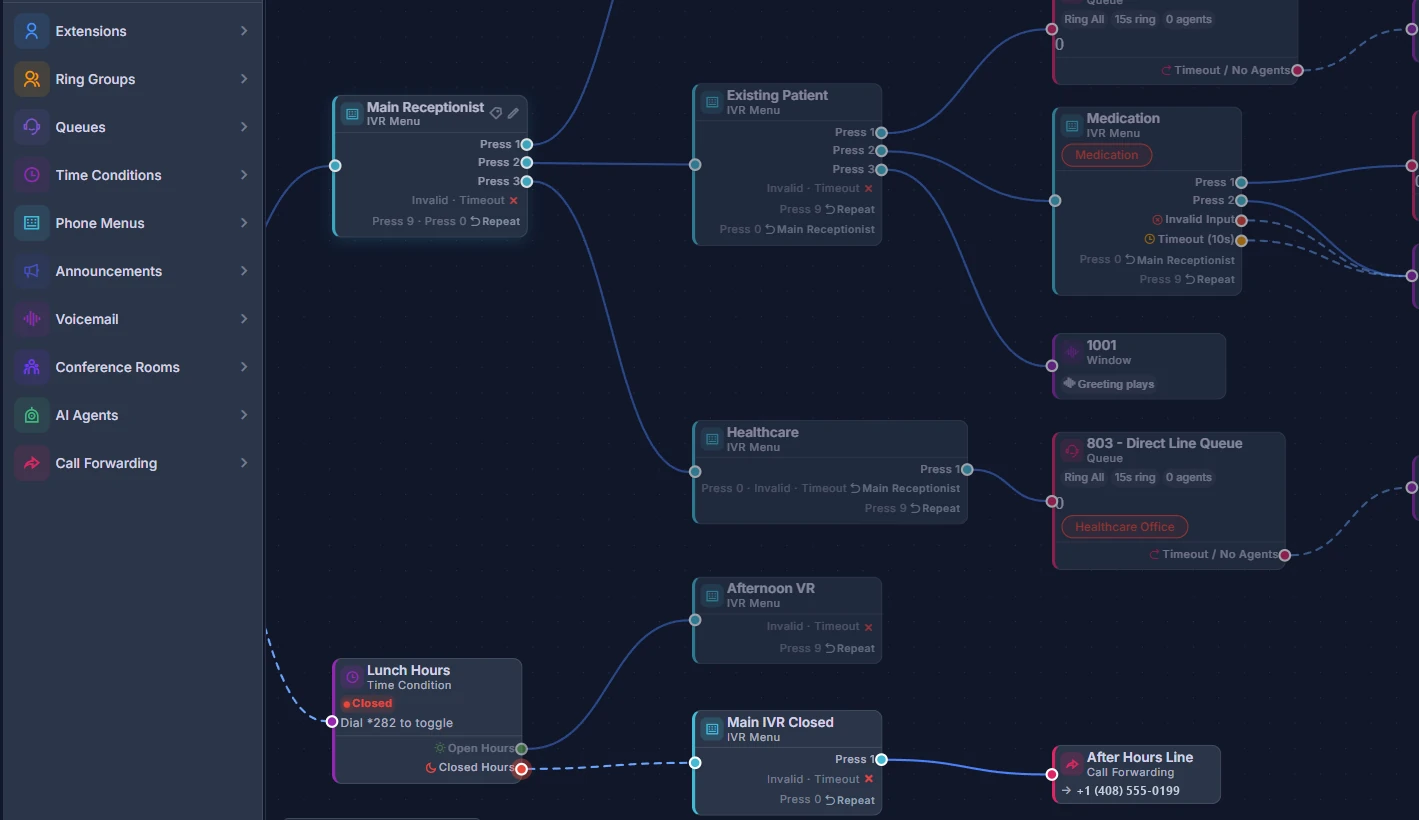
The Willow Glen front desk finds Campbell's front desk computer in the Computers list and opens it with Remote Desktop. Campbell's own practice software is right there on her screen, and she works through the schedule changes as herself while that chair sits empty. Meanwhile the lunch schedule in the call flow sends Campbell's main line to Willow Glen until 1:30, so their calls get answered too.

  • Open the other office's computer from the Computers list
  • Work in whatever is on that computer, with nobody sitting at it
  • Lunch and after-hours schedules in the call flow
More about remote access and security →
Call flowA visual call flow: a main menu branching to patient, medication and healthcare menus, a lunch-hours schedule, and an after-hours forwarding line.

Top card: illustration. Bottom: the real call flow editor with the lunch schedule.

2:10 PM

The 2:30 texts that she's stuck on 280.

The front desk checks the doctor's column, moves her to the open 2:45 and texts back “No problem, see you then.” Nobody was put on hold, and nobody had to guess where she was.

  • Schedule by provider or by room
  • Text from the patient's thread
  • Reminders and confirmations by text
More about scheduling and forms →
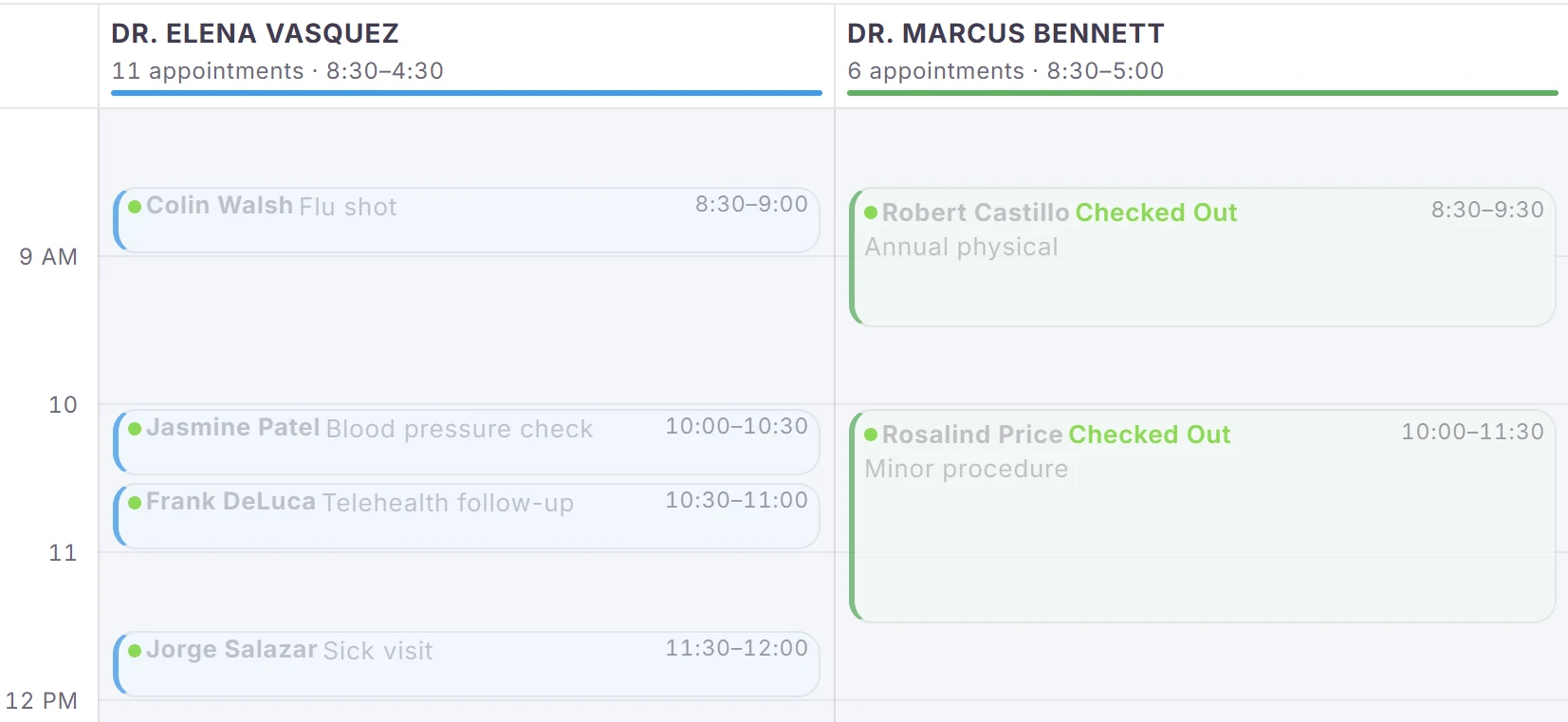
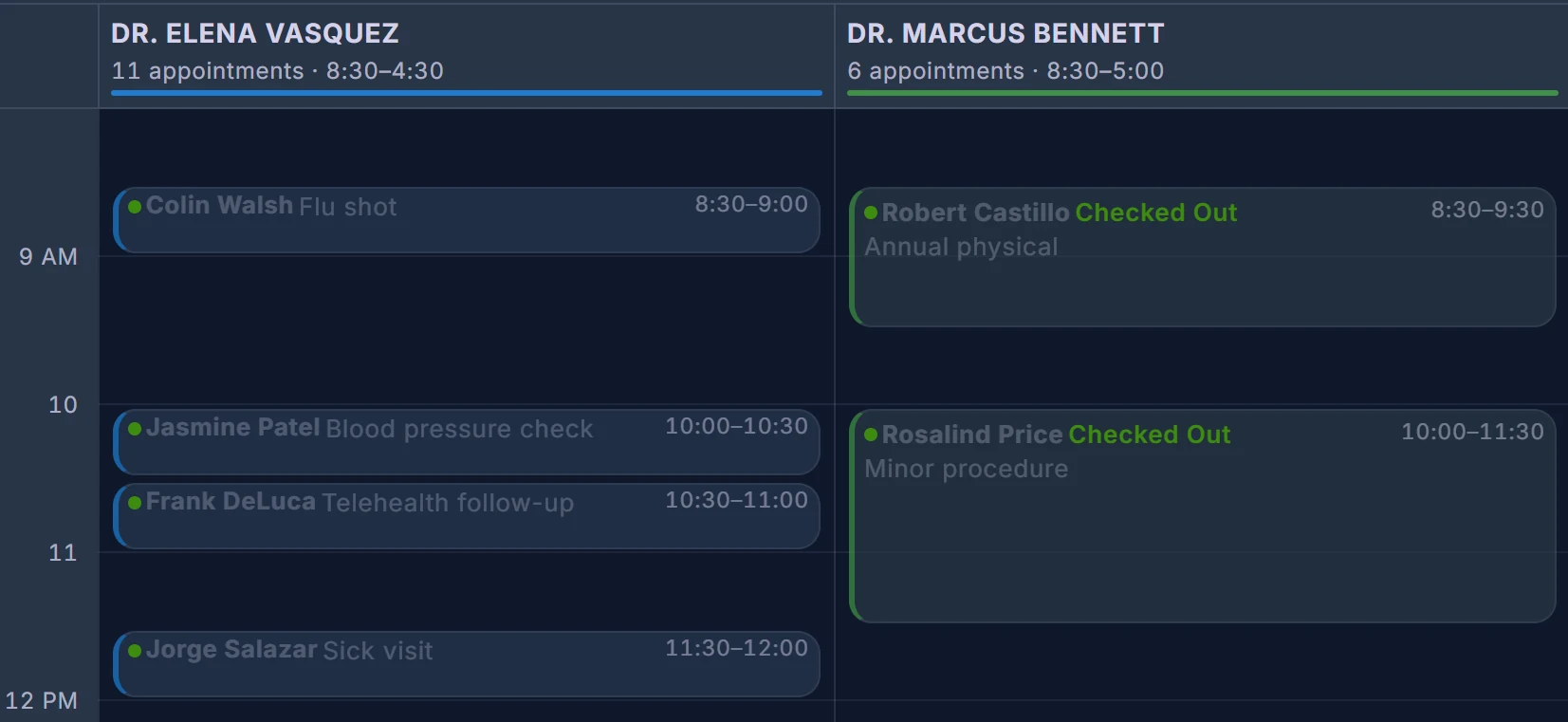
A family medicine schedule with two providers.

Drag to compare. The app follows each person's light or dark setting, and every provider gets its own color.

4:50 PM

Ten minutes to close. Who do we still owe a call?

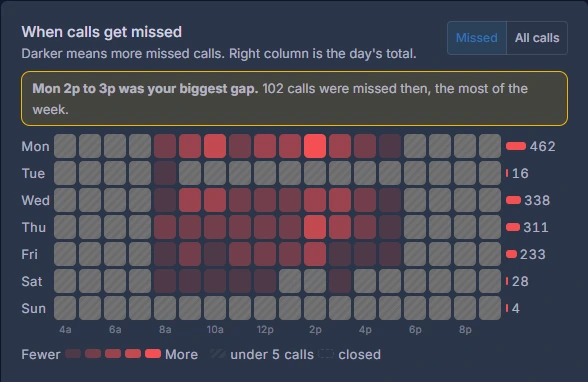
The task list has the answer. Every missed call and voicemail from today is on it with an owner, and the last callbacks get made right from the list. The day's report shows how many calls came in, how many got through, and which came from your Google Ads.

  • Tasks from missed calls and voicemails
  • Call or text from the task
  • Answered vs missed, and Google Ads calls Beta
More about call analytics →
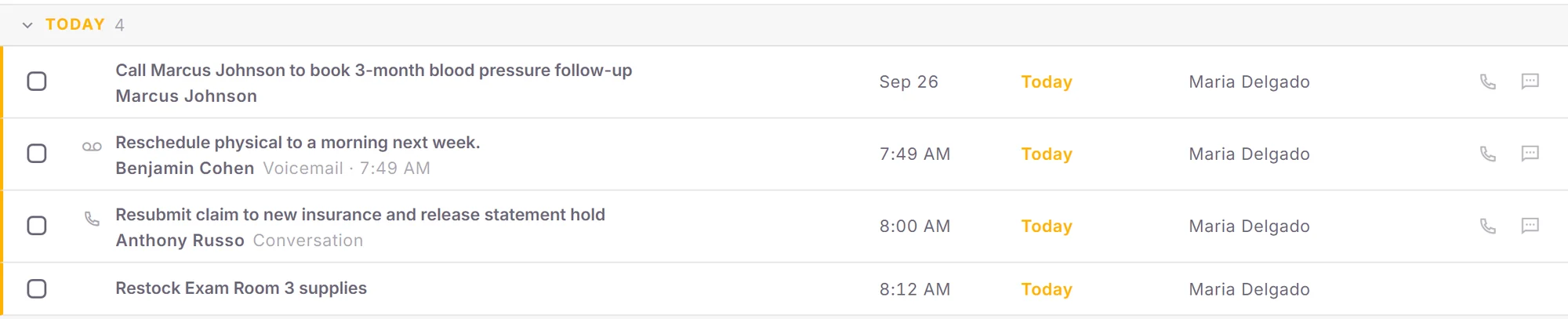
Today's task list with callbacks, a voicemail follow-up and an insurance resubmission.
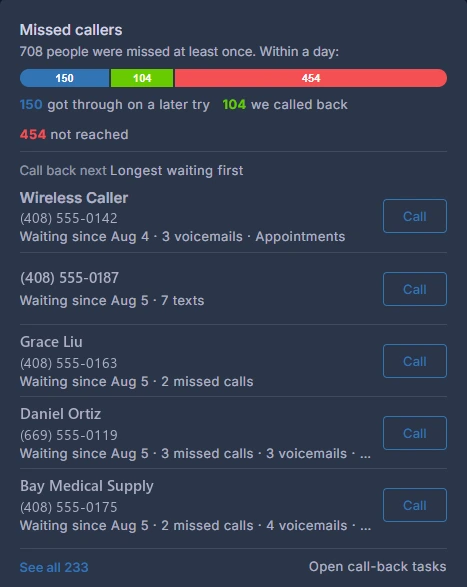
Call back nextMissed callers: who got through later, who was called back, and who still needs a call, longest waiting first.
7:05 PM

The office is closed. The 7:05 call still gets answered. Beta

A dad asks about tomorrow morning for an earache. The AI front desk gives the hours, takes his number, and makes a callback task. It's the first thing on tomorrow's list, the same way this morning started.

  • Answers common questions from the details you give it
  • Takes messages as tasks
  • Hands the call to a person on request
More about AI summaries and the AI front desk →

Illustration

5.0 on Google · 8 reviews

Read the reviews on Google

“He responds quickly if any issues, communicates well, and is always on top of things.”

Janice Cureton, North Salinas Dental

“He always has an answer to any technical issues - servers, networks, server software, dental software, phone systems, VOIP...you name it.”

Arun Ramakumar

“Hunter Networks has been our main IT source for 16 years plus. … We are a company of 64 employees and still growing.”

Kathy Benson Yrique

Pricing

One platform fee per office. Everything included.

From $399 a month per location at founding prices, plus your users. Security and backup are per computer, only if you want them.

Talk to us

Tell us how your office runs today.

Twenty minutes is enough to see whether we fit, what it would cost, and how the switch would go.

(408) 599-3900 info@hunternetworking.com Hunter Networks · San Jose, California