
Unified inbox
One conversation per person, however they reached you.
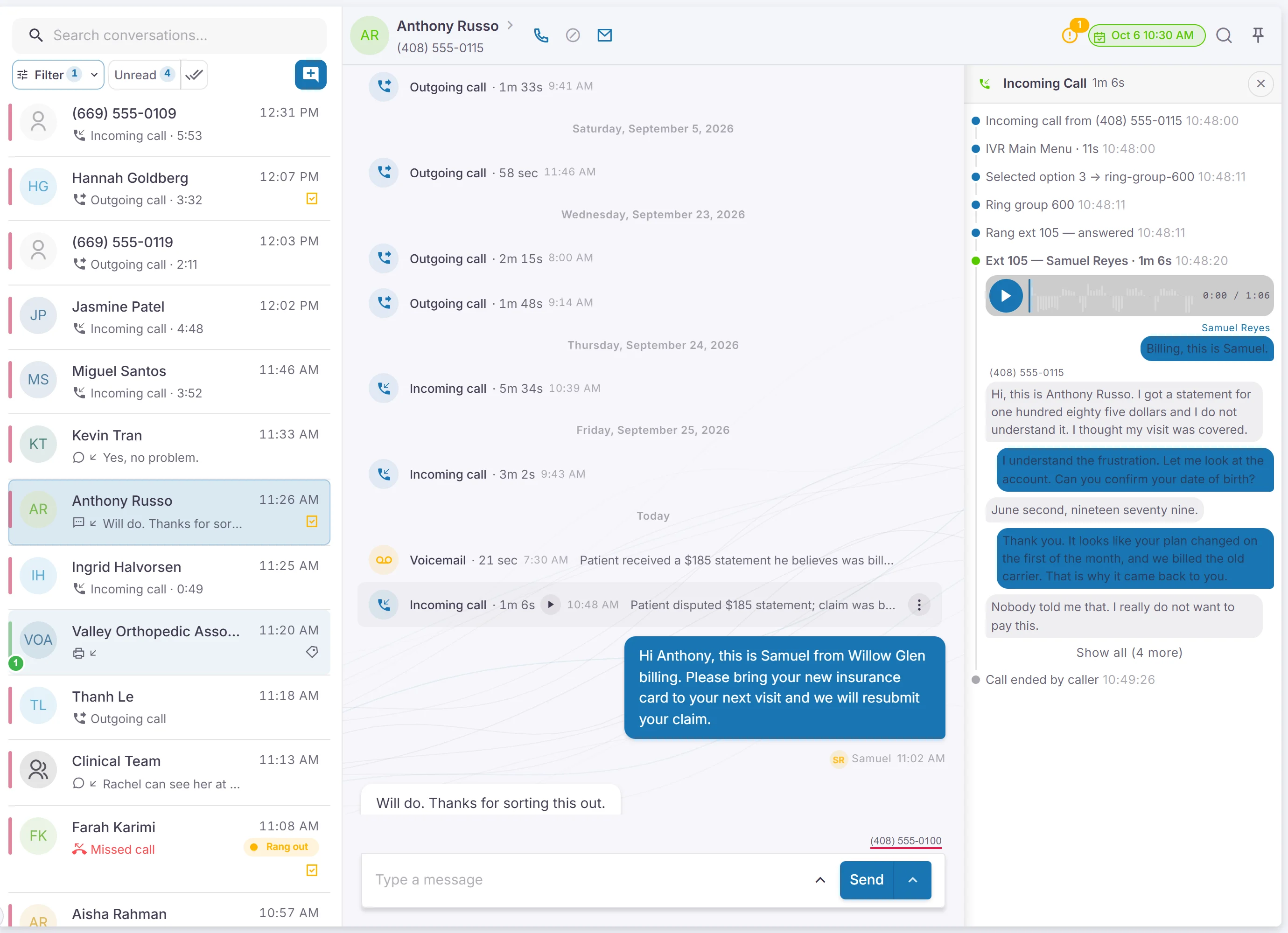
One thread per person
Calls, texts, voicemails, web chats and faxes together on each person's timeline.
Whoever picks up the conversation next sees everything: the last call and its summary, the texts, the fax that came in.
Business texting
Text from your office numbers, with photos, files and group texts.
Saved replies fill in first names for you. We walk you through the carrier registration business texting requires.
Voicemail you can read
Every message transcribed, with urgent ones at the top.
Folders and shared mailboxes, and an alert by email, text or phone when a message comes in.
- Missed-call text back
Automatically text a caller you couldn't answer.
- Website chat
A chat box for your site. Chats land in the same inbox as your calls.
Secure messages and files
A private link for conversations and files that shouldn't go over plain text.
The person confirms a one-time code, then replies or uploads files securely.
- Search everything
Find a conversation by name, number, or what was said.
Phones and call routing
Your numbers, your desk phones, and a map of where every call goes.
Phones wherever you are
Desk phone, browser or mobile app.
Desk phones set themselves up when plugged in, and each person picks which of their phones ring.
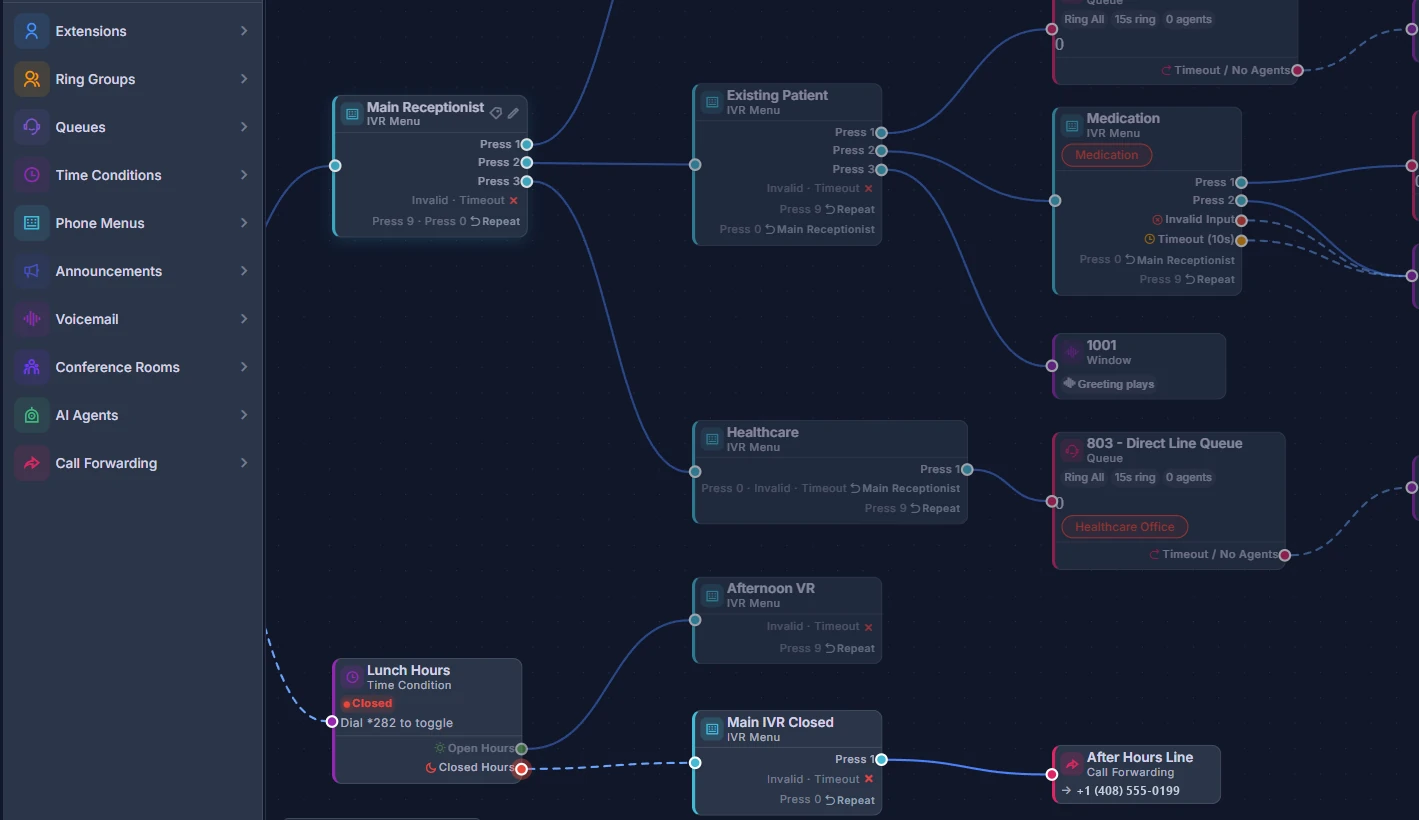
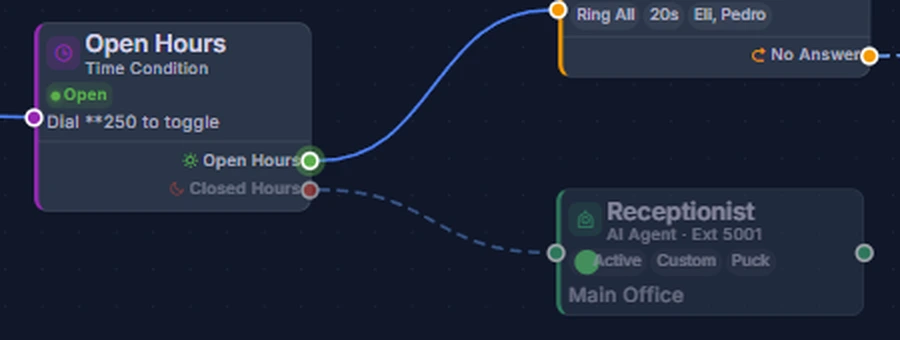
Visual call flow editor
Drag a line to change where calls go.
Menus, ring groups, queues, voicemail and after hours, for every number and location. Changes are live when you save, and every version is kept.
Phone menus
Type the greeting, and a natural voice reads it.
Press 1 for scheduling, 2 for billing.
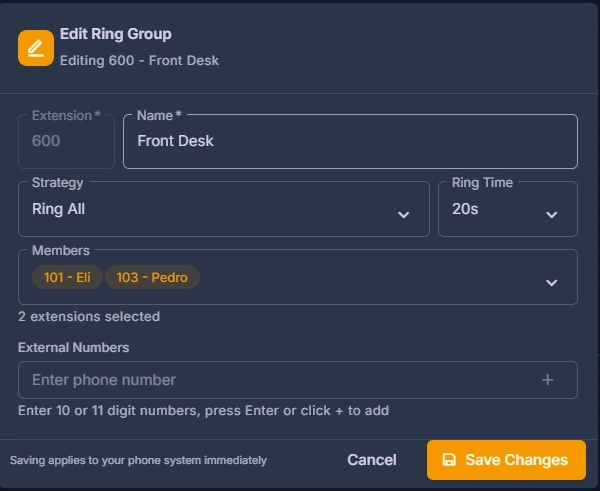
Ring groups and queues
Ring a team, or line callers up for the next free person.
Add an outside number to a ring group, like a cell phone after hours.
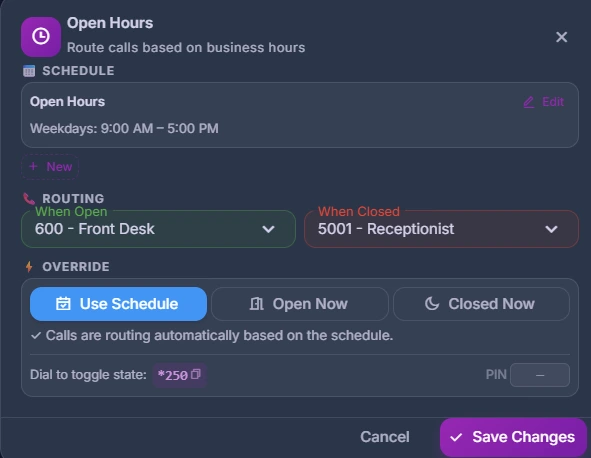
Hours, lunch and holidays
Calls follow your schedule on their own.
After hours, lunch and holidays. Close early with one click, or by dialing a code from any desk phone.
Park, transfer and block
Handle any call from any phone.
Park a call for any phone, transfer it, or block a number. Each office number can ring differently, so you know the line before you answer.
AI that hears every call, not just the ones it answers
It's built into your communication system, so it learns from real calls and messages.
- Call summaries
Tagged by topic, with upset callers first.
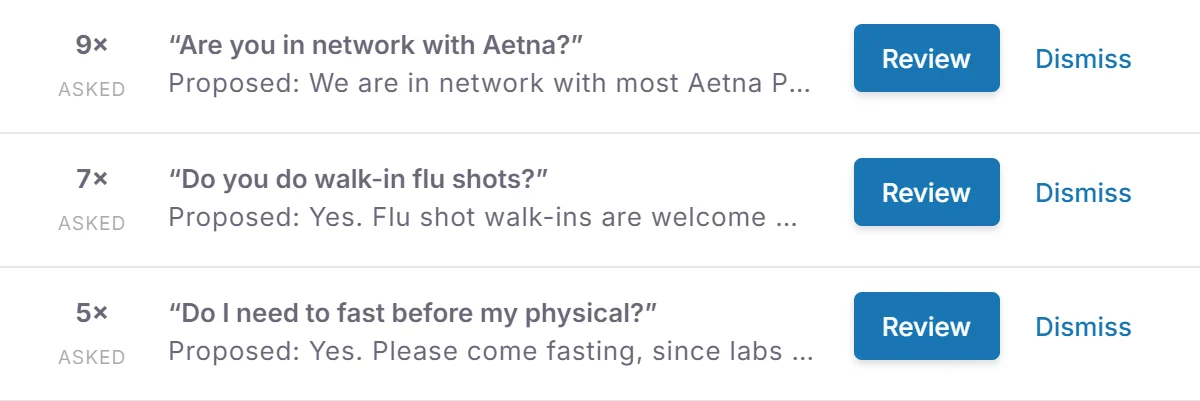
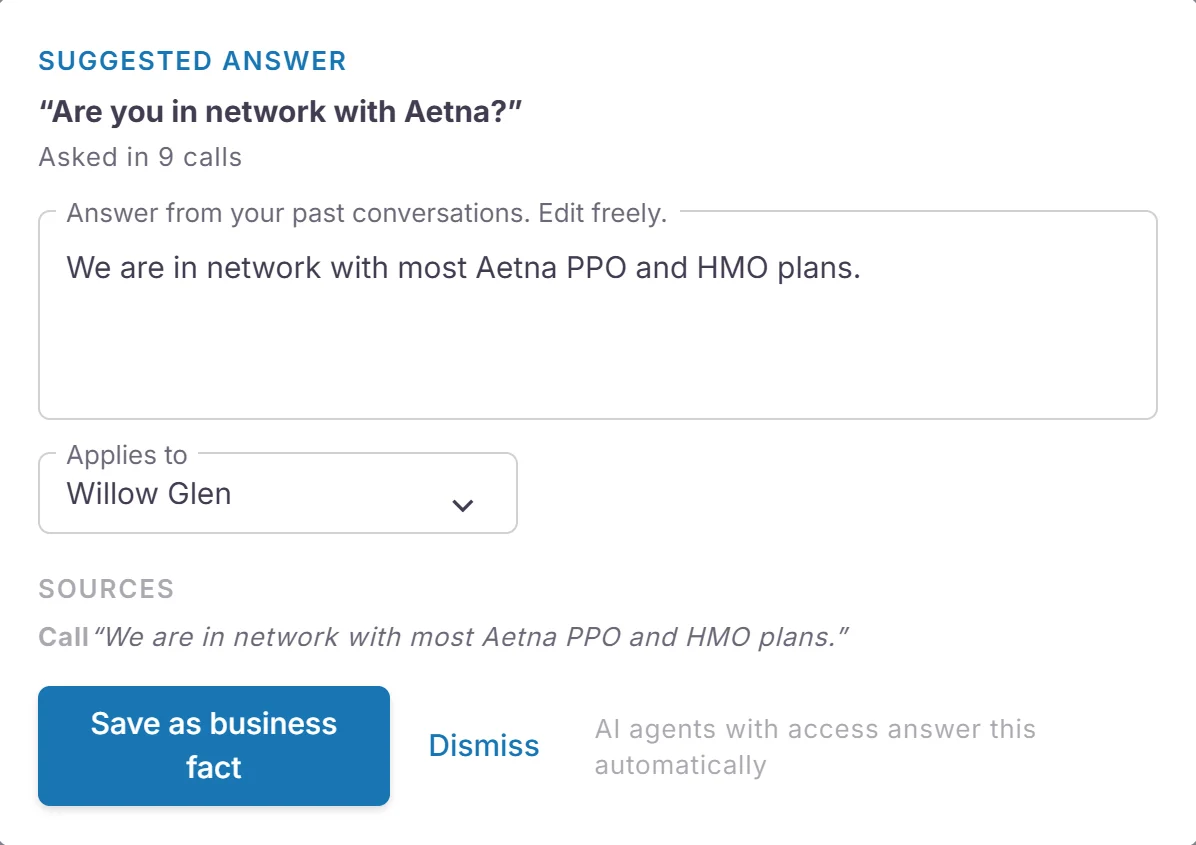
Suggested answers
When callers ask something new, it finds how your team answered before.
Each suggestion shows the call or text it came from. Approve it, and the AI front desk uses it.
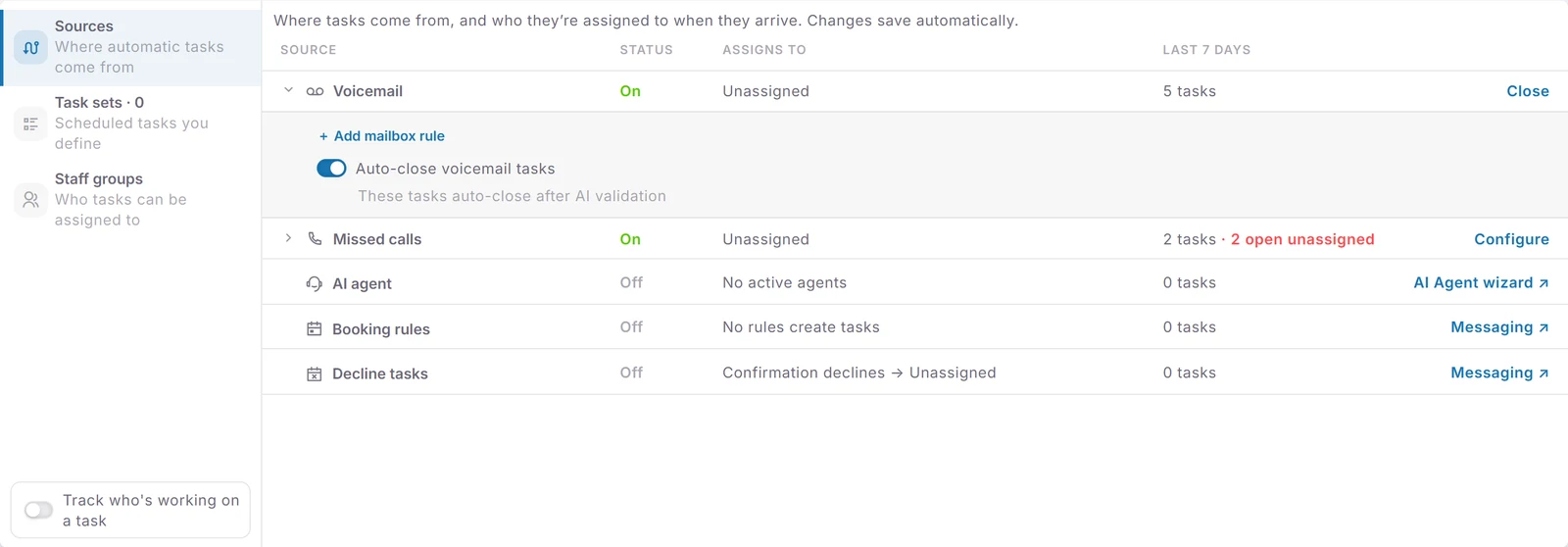
Tasks that open and close themselves
To-dos from calls and voicemails become tasks, and the AI closes the ones a later call settled.
It reads the call before closing anything, so "let me check and call you back" keeps the task open.
AI front desk Beta
Answers after hours, or when nobody can pick up.
It knows the caller by their number, answers from what you've approved, and can book, confirm and cancel. It can also fill in short forms by phone, in English or Spanish. Anything it can't handle becomes a task.
Private details stay here
Removed on our servers before any AI analysis.
Names, birthdates, Social Security numbers, addresses and card numbers. Card numbers are bleeped from recordings too.
Call analytics and marketing
Call tracking built into your phone system, not bolted on.
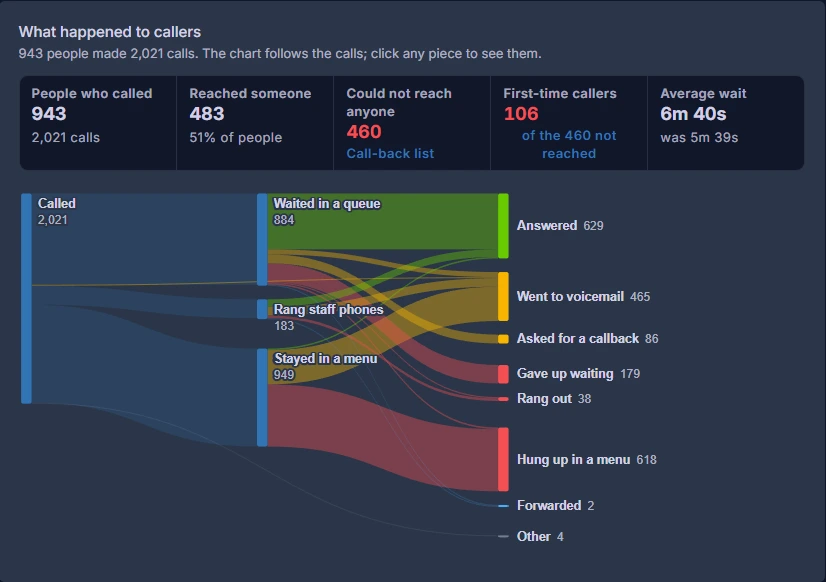
What happened to every call
Answered, voicemail, gave up waiting, or hung up in the menu.
Click any part of the chart to see the calls behind it, and play them.
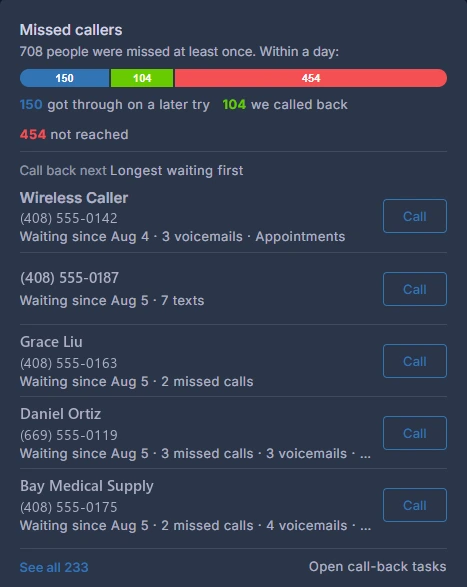
Missed callers and call-back list
Who you missed, who you reached later, and who to call next.
Longest waiting first, with new and upset callers easy to spot.
Nightly AI insights
Plain-language findings each evening, in the app and in a day-end email.
The email also has the day's calls and misses, sent after close.
When and why people call
Missed calls by hour, first-time callers, and call topics.
See which topics upset callers, and calls per person, wait times and menu choices.
Where your calls come from
Give each ad its own number, and see the calls and customers it brings.
Show a campaign's number to website visitors who came from it, and new contacts are stamped with the campaign. Google Ads spend next to your calls is in beta.
Beyond calls
Reports for tasks, customer feedback and remote access too.
On-time rate and workload for tasks, ratings for feedback, and who connected to which computer.
Forms
People fill them in on their phone before they arrive, and the signed copy lands on their record.
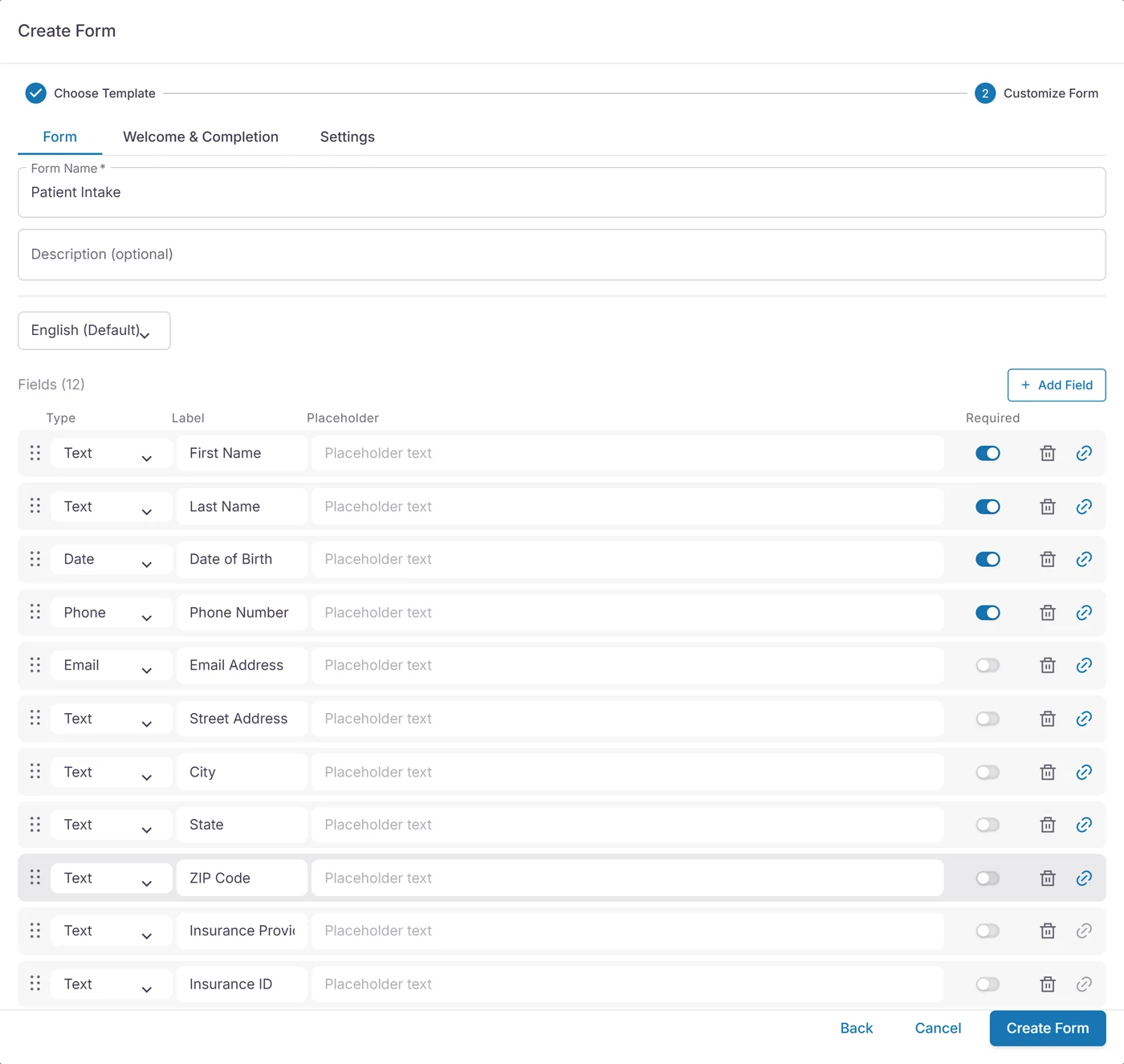
Build your own
Intake, consent, feedback and booking forms, or start from a template for your industry.
Text, dates, address, dropdowns, checkboxes, star ratings and signatures. Add an appointment field and the form books the visit. Have a paper form already? Import the PDF.
In their language
English, Spanish, French and Arabic, on the same form.
Translate each question, its help text and its answer choices once, and everyone gets the form in their own language.
Only the questions that apply
"Any allergies?" Yes opens the follow-up. No skips it.
Long forms split into steps, so they are easy on a phone.
- Already filled in
Name, phone and address come from their record, so they don't type them twice.
Text it, embed it, or put it on a tablet
Send by text or email, add it to your website, or use a lobby tablet for check-in.
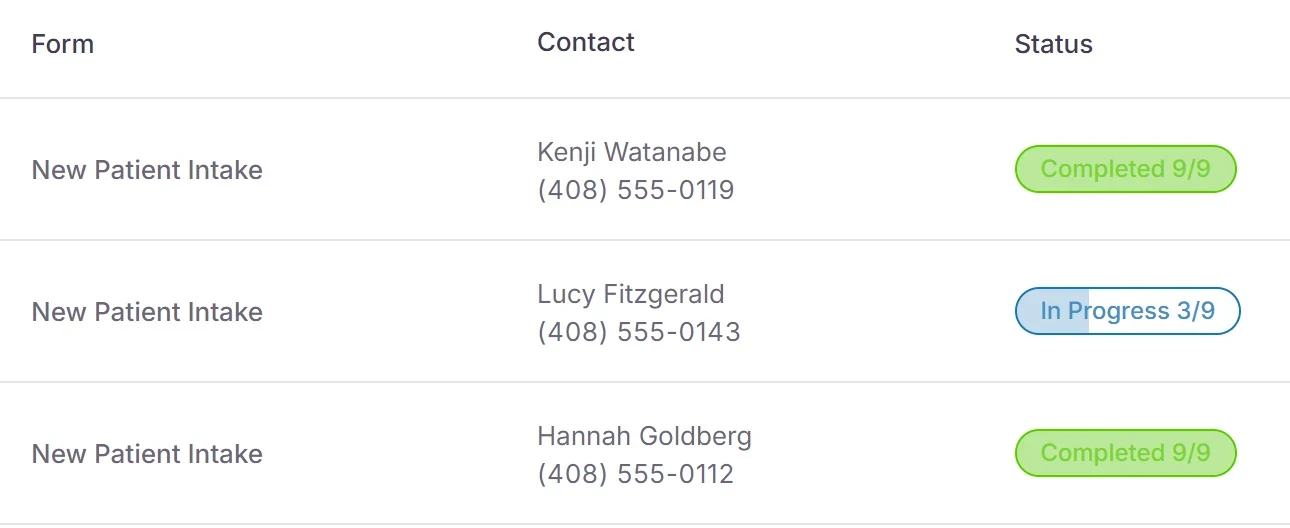
See who finished and who stopped halfway, and nudge them. The AI front desk can also fill in short forms by phone (Beta).
- Signed PDF on file
Every completed form is saved as a PDF with the signatures in place.
Tasks
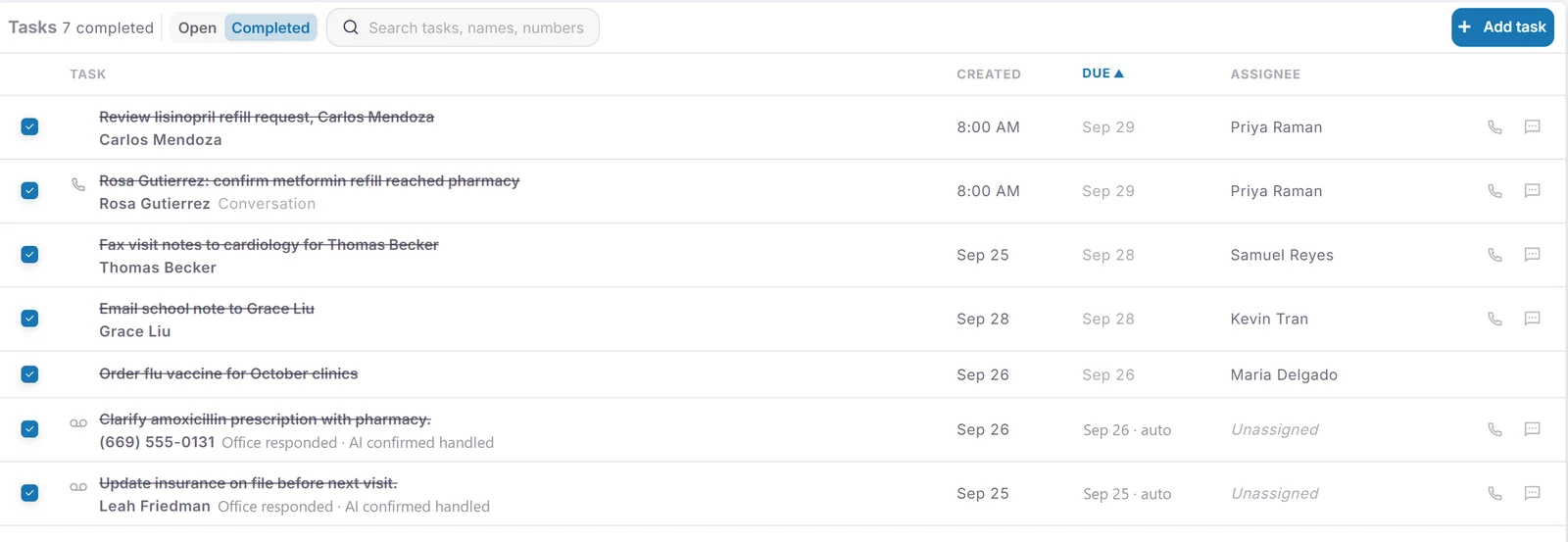
When a call, text or voicemail needs follow-up, it becomes a task for the right person and closes itself once it's handled.
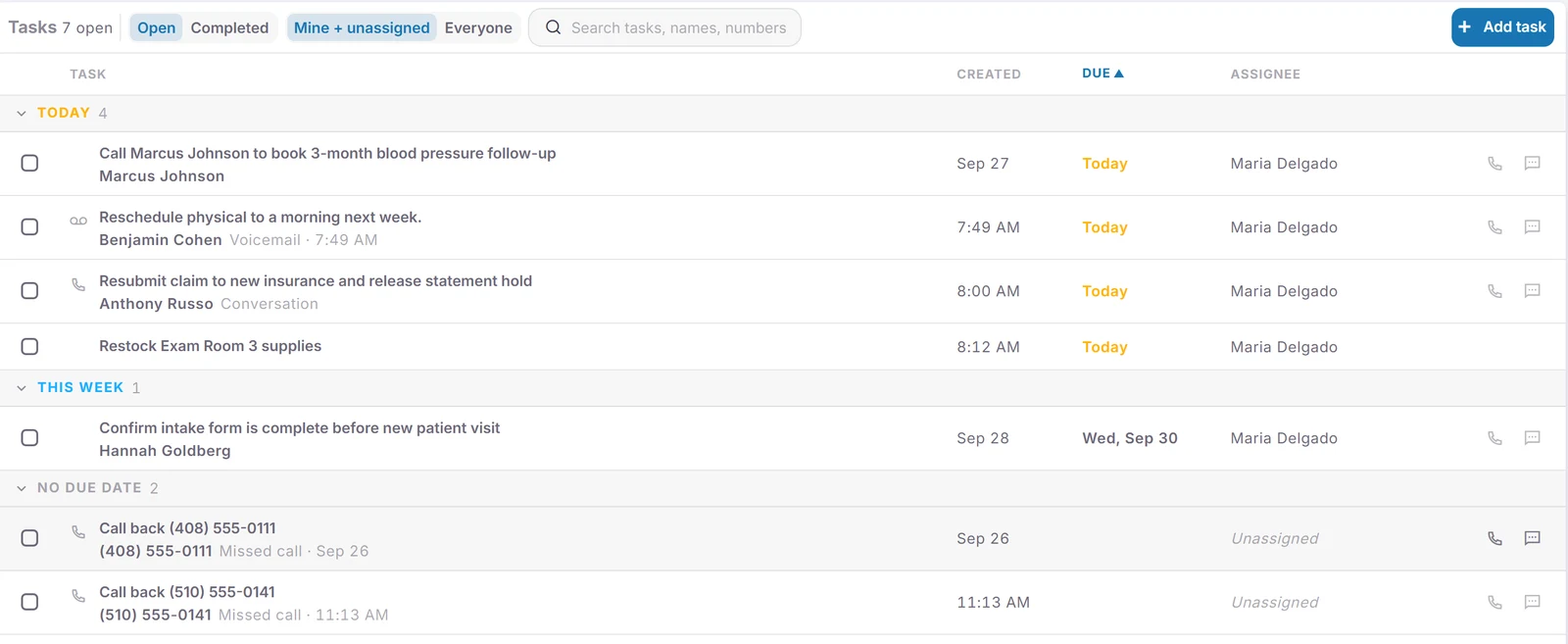
Tasks from every conversation
Missed calls, voicemails and to-dos mentioned on calls become tasks in plain words.
Texts that go unanswered and after-hours AI calls do too. Two missed calls and a text from the same person add up to one task.
Closes itself when done
The AI checks each call against the caller's open tasks and closes the ones it settled.
"Let me check and call you back" keeps the task open.
Assigned to the right person
Automatically, by phone number, mailbox or tag, to a person or a team.
Tag a conversation Billing and its task moves to the billing team, with a note saying why. On a shared task, I'm on it tells everyone you've got it.
Recurring tasks
Daily, weekly, monthly or yearly, plus onboarding tasks from a new hire's start date.
Group related tasks into a set for everyone, a team or one location. Each person does their own, or one shared task covers the team, and the next one appears when the last is done.
- Work it from the list
Call or text right from the task, with alerts and a morning email of what's due.
Manager reports
On-time rate, overdue work, and who closed what.
Per person and per source, including tasks the AI closed, plus a grid showing who is behind on recurring tasks.
Contacts
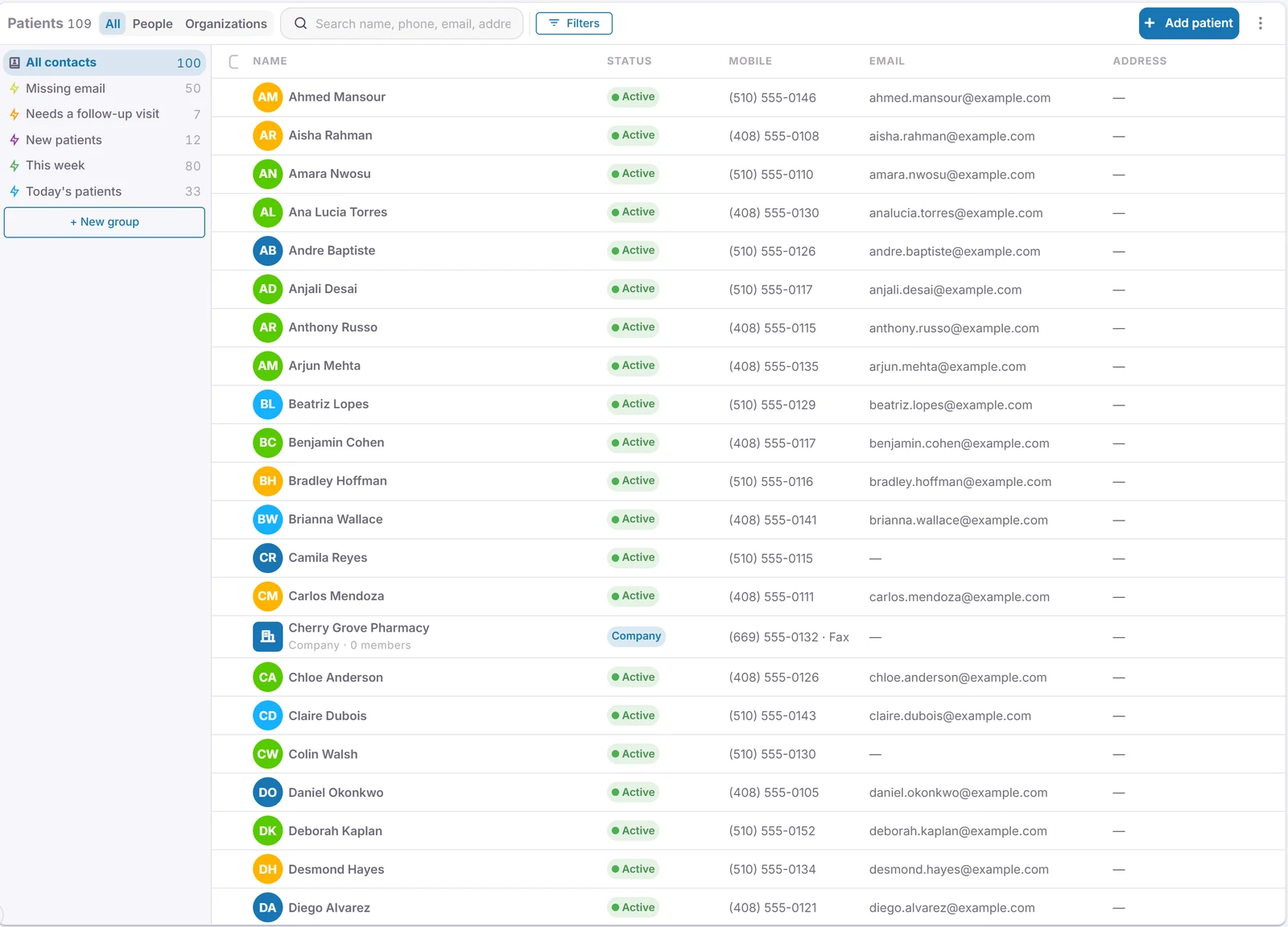
Everyone you work with, in one place.
Know who is calling
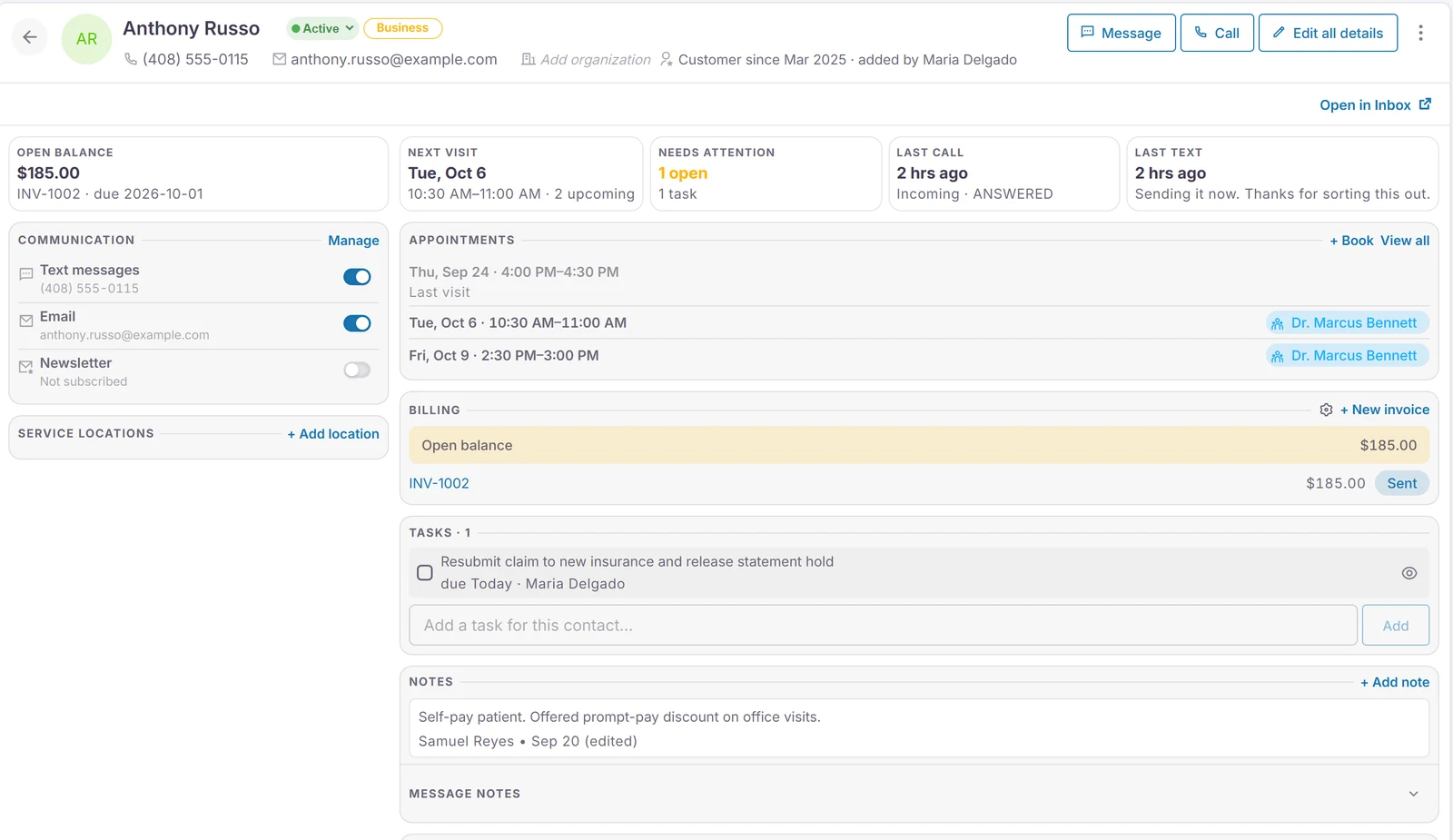
The caller's record opens when the phone rings, with their next visit.
Unknown numbers get a record automatically.
One record per person
History, addresses and your own custom fields.
Group people under a family or company, with its own phone lines.
Your own stages
Lead, customer, past customer, or whatever you use.
Name them, color them and put them in order. Every list can filter by them.
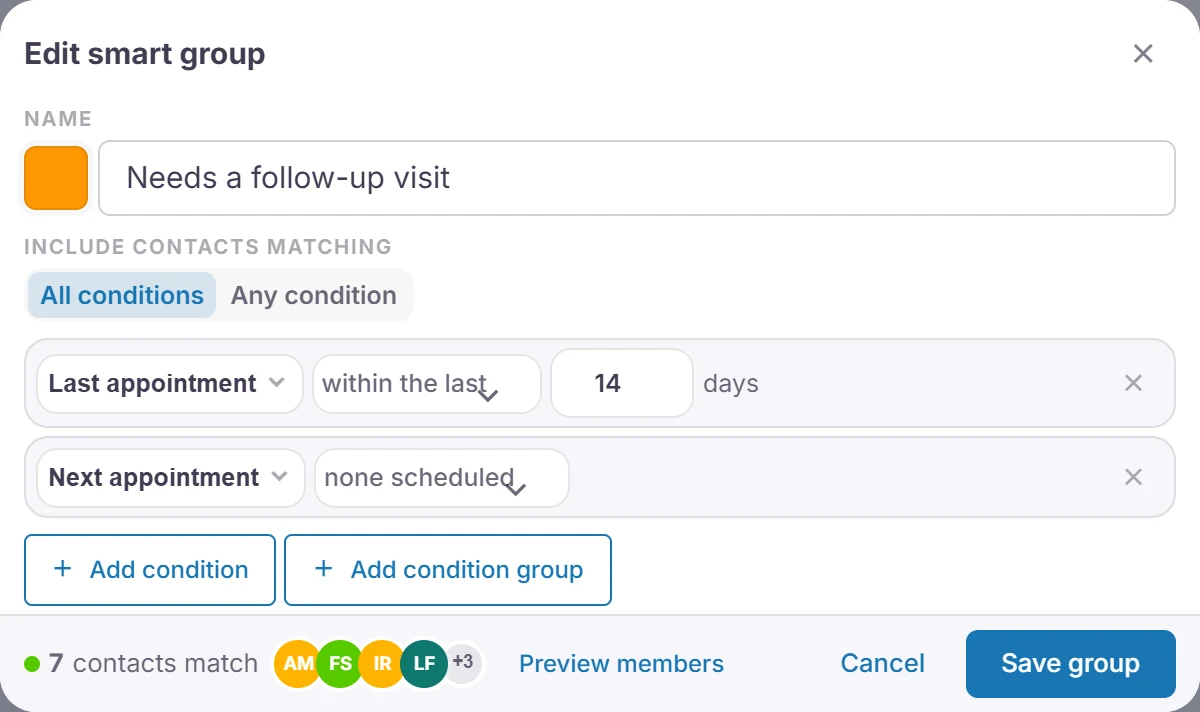
Smart groups
Lists that keep themselves up to date, like everyone due for a follow-up.
Build one from last visit, next appointment, stage, tags or your own fields.
- Import and clean up
Bring contacts in from Google or Microsoft, then merge duplicates.
Connect the software you already use
Practice software and CRMs with a published API.
Dental practice software sync is in pilot now. Tell us what you use, and we build the connection and keep it running.
Estimates, invoices and payments
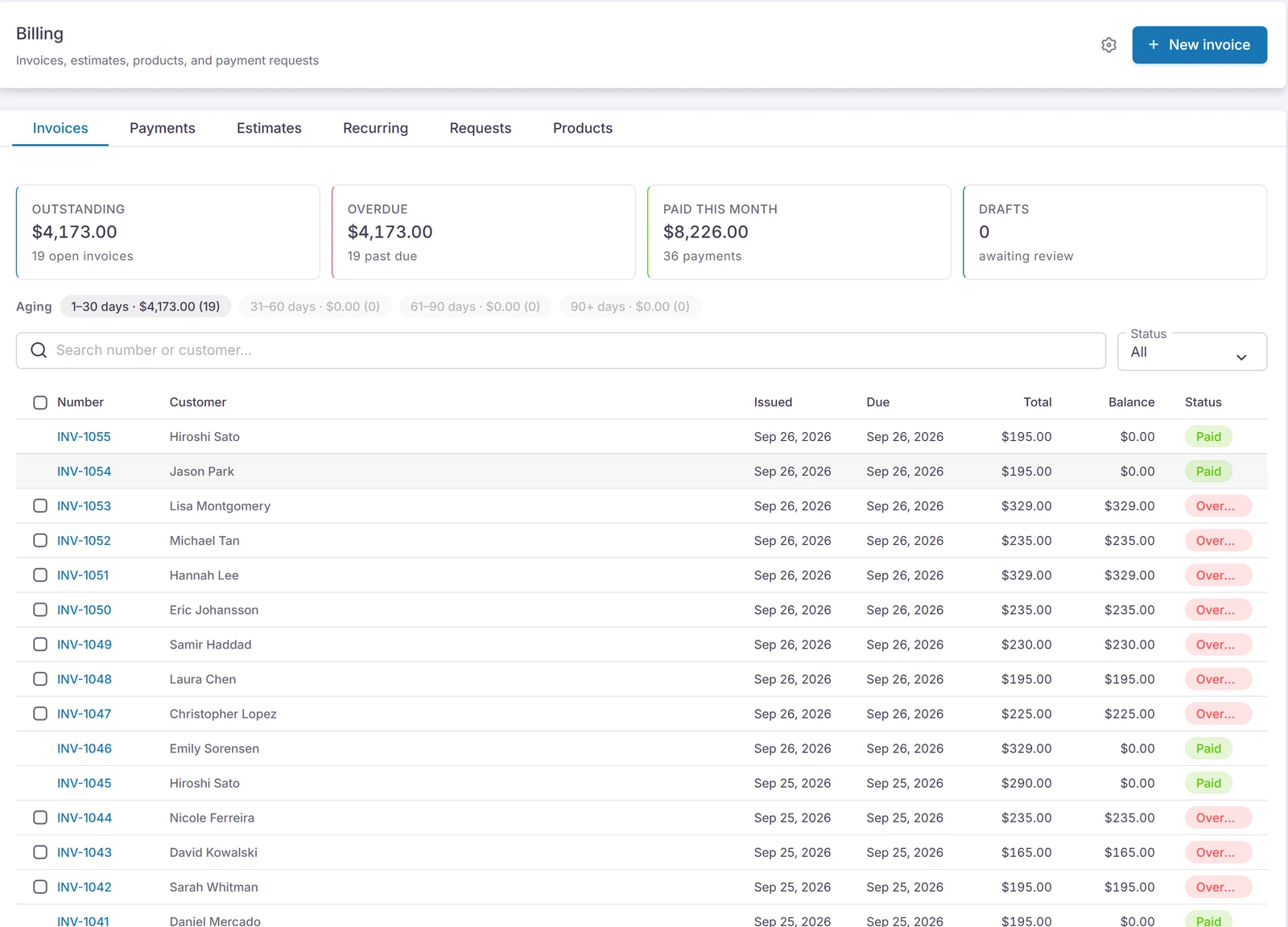
Quote it, bill it, and take cards, by text or on file.
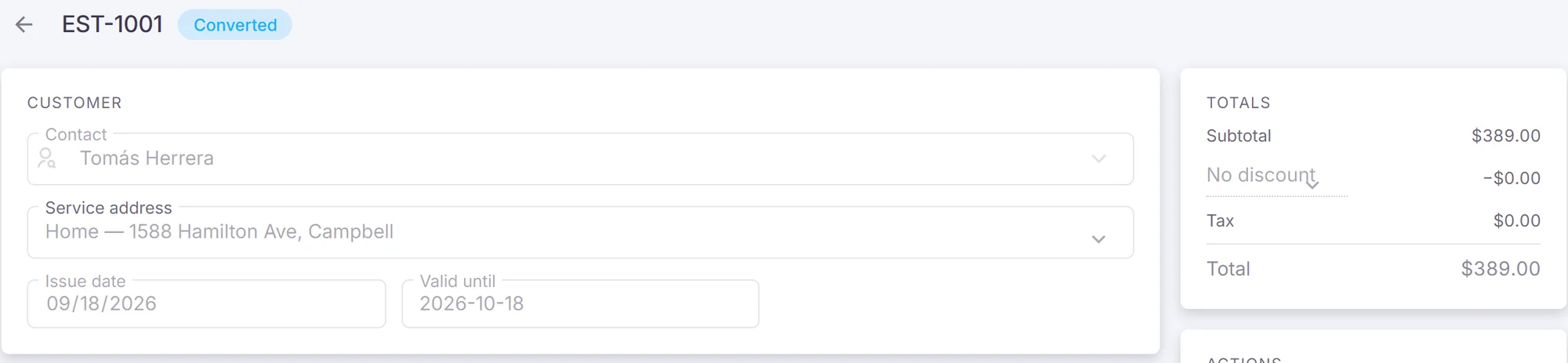
- Estimates and invoices
Turn an estimate into an invoice, with your own catalog of services.
Card payments
Take cards through your own Stripe account, with the money going straight to your bank.
Connect Stripe once from the app. You pay Stripe's standard rates and we don't add a fee. Payments land in your account, and receipts go to the customer automatically.
- Text to pay
Text a payment link. Customers pay on their phone and can add a tip.
- Save a card for next time
Customers can keep a card on file when they pay.
- Cash and check too
Record cash and check payments against the invoice, so every balance is right.
- Recurring invoices and reminders
Scheduled invoices and automatic payment reminders.
- Card on file
Charge when the job is done, or once a month.
- QuickBooks Online sync Beta
Invoices and payments flow into QuickBooks Online, so nobody types them twice.
Remote access, security and backup
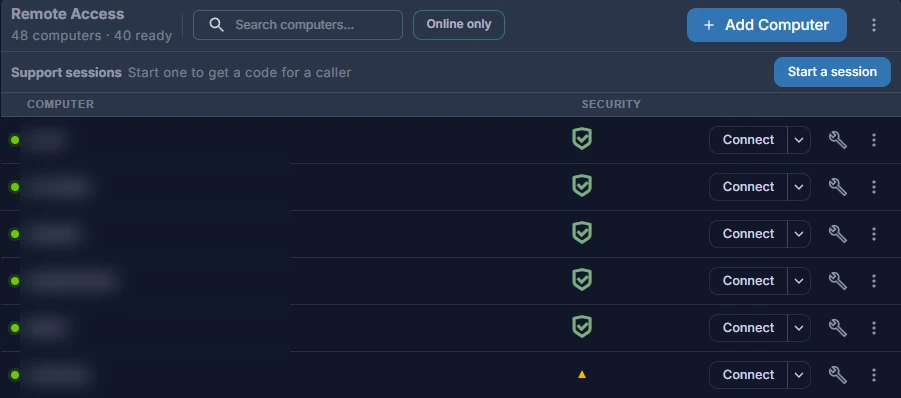
Remote access comes with the platform. Add security and backup for the computers that need them.
Remote Desktop
Open a computer's full desktop from a browser or the Hunter Remote app.
It works over a private connection, with nothing opened on the office firewall and no VPN to set up. You work as yourself, and nobody has to be at the other end.
- Screen Share
Watch or take control to help the person at the computer.
Remote staff, safely
Billers and other offices get only the computers they need.
Decide who can connect, watch or restore files, computer by computer. See who connected, when and for how long, and turn access off the day someone leaves.
- Threat detection with 24/7 monitoring Per computer
Security on every computer, watched around the clock by people.
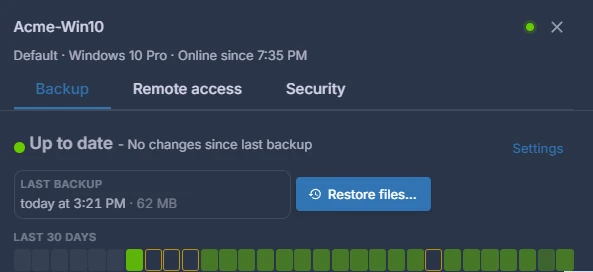
Image backups Per computer
Whole-computer backups on a schedule, skipped when nothing changed.
If a whole computer fails, the backup image gets it running again.
- Pick a moment, get the file back
Browse any backup and restore or download a file.
Fax
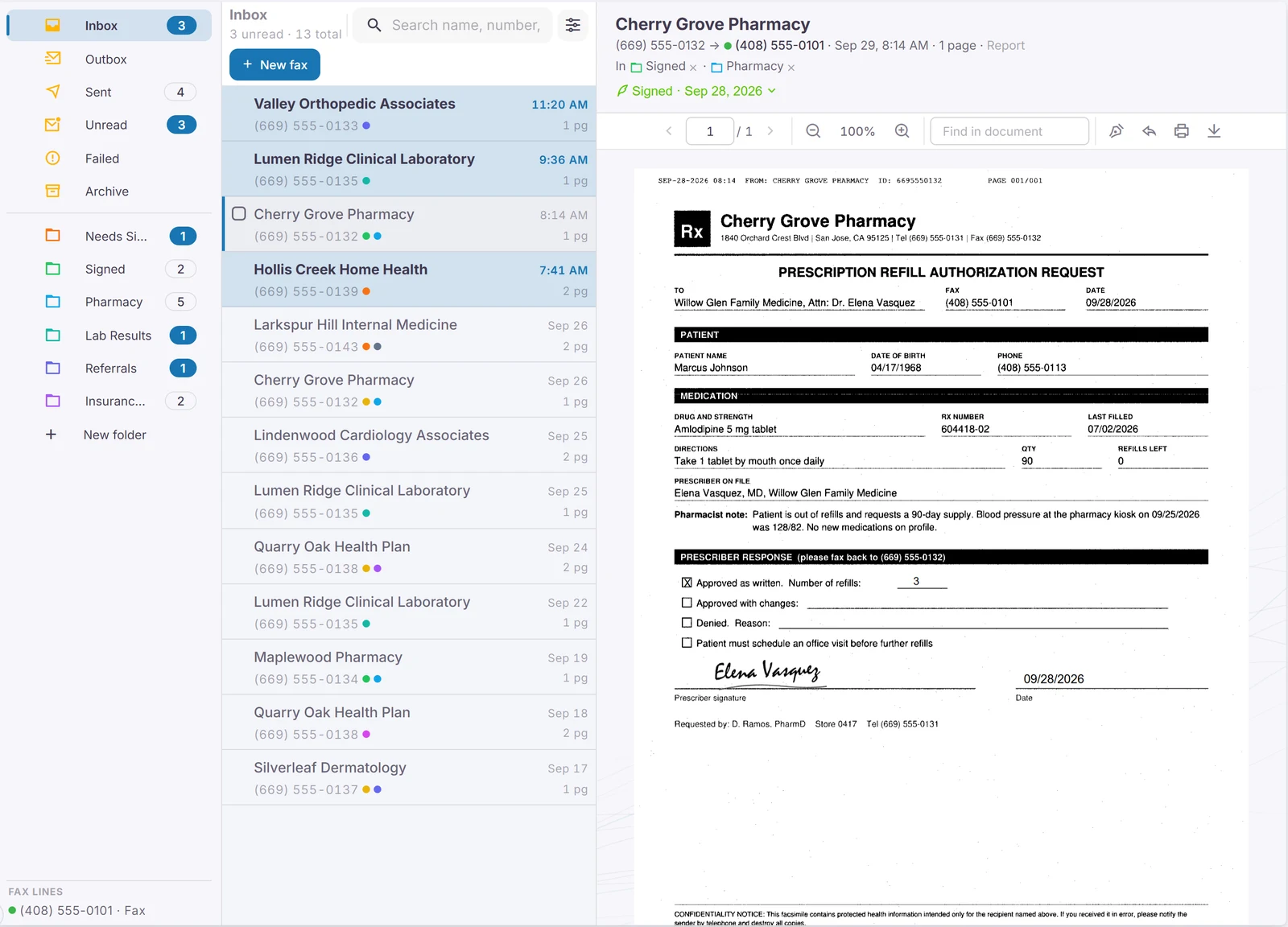
Faxes that read, sort and file themselves.
Send and receive in the app
Your fax numbers, with no fax machine and no paper.
Watch each fax go out page by page, and know when it arrived.
Read and tagged for you
Every fax becomes searchable text and gets your tags, like Pharmacy or Referral.
You set the tags. The app applies the ones that fit, and you can change them any time.
- Smart folders
Folders that fill themselves by tag, status, date or unread.
- Sign and fax it back
Sign with your saved signature and send it straight back to the sender.
- On the sender's thread
Faxes show up in the conversation with whoever sent them.
- Split, download and print
Pull pages apart, download a PDF, or have faxes print at the office.
Scheduling
Built for exam rooms or for crews on the road. Pick how your business works.
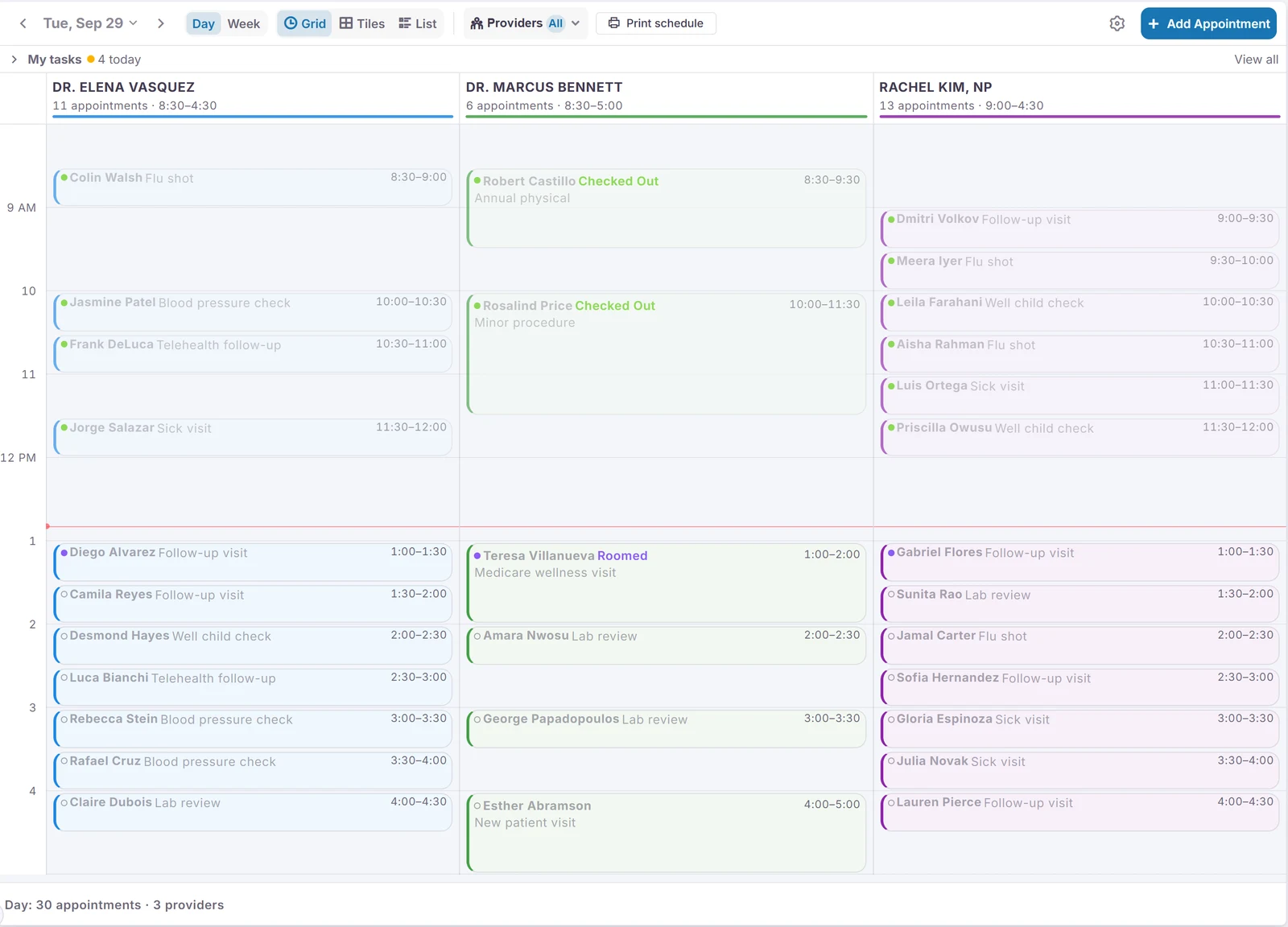
- Columns by provider or room
Each provider or exam room gets a column, showing who's checked in, roomed and done.
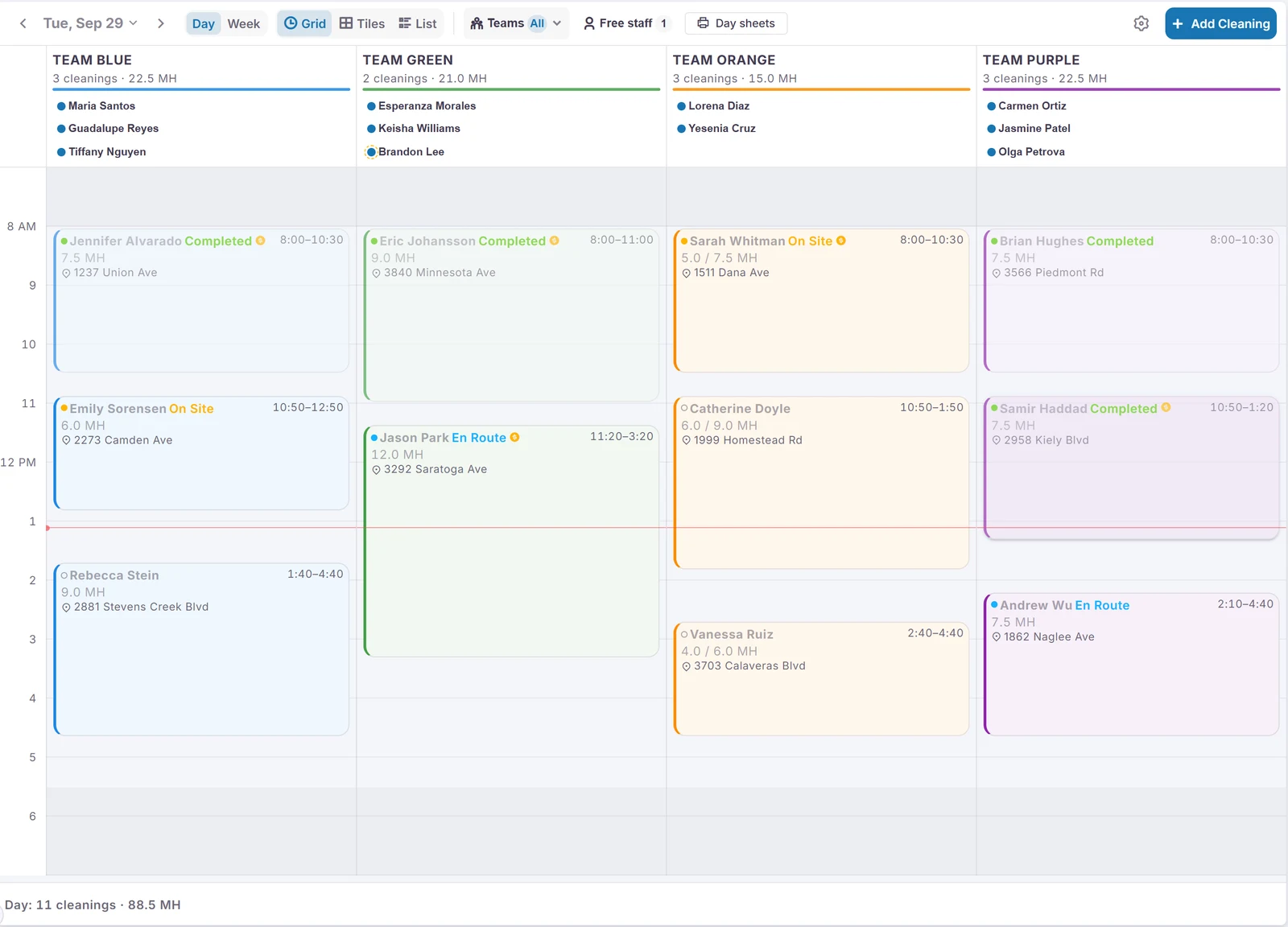
- Teams and routes
Each crew gets a column with its members, hours and every stop.
- Views that fit how you work
Day, week, tiles or list, plus a printed page per provider or crew.
- Availability and time off
Weekly hours and blocked days for each person, room or crew.
Online booking
Customers and patients pick an open time on your booking page.
Or add a new caller and book them from the call screen while they're on the phone.
- Reminders that confirm
Text and email reminders. A YES confirms, and a reschedule request becomes a task.
Dental practice software Pilot
Appointments, providers and rooms sync, and confirmations write back.
Working on our test setup. We're looking for the first practices to connect.
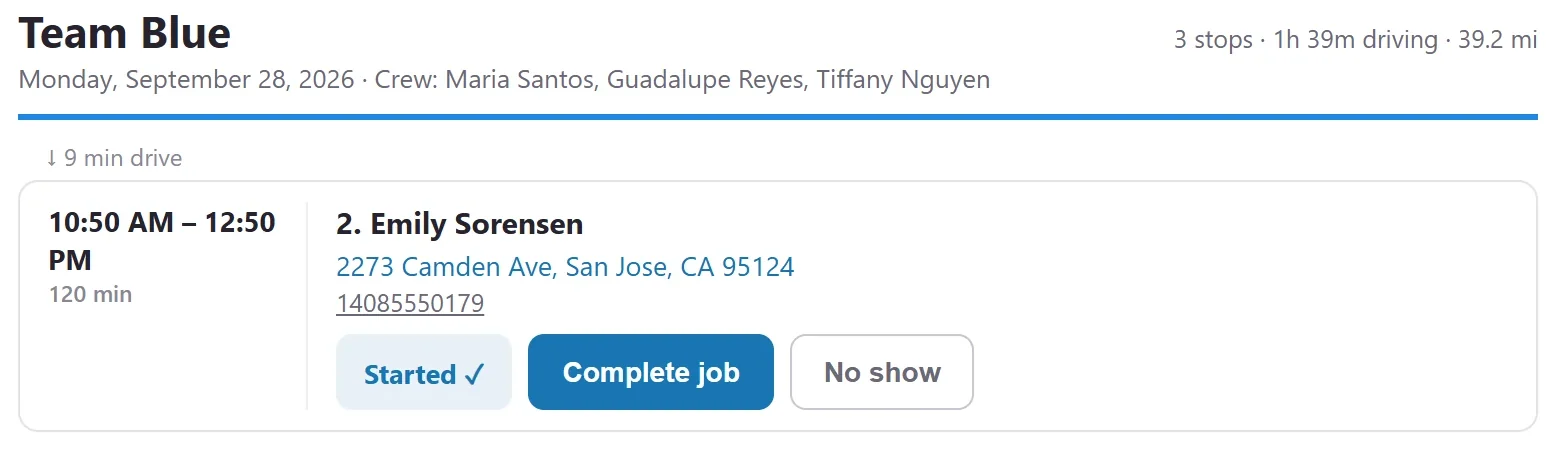
Route slips on the phone
Crews see their stops, clock in, and tap On my way and Complete.
On my way texts the customer for you, and crews can message the office from the slip.
Shorter drives
Reorder a crew's day to cut driving, and see vans live on the map.
Vehicle GPS records actual arrival times, and booking suggests times that fit the route.
Ratings after the visit
Customers rate the visit, and happy ones are sent to your review page.
Crews earn points for good ratings.
Crew pay from the schedule Beta
Hours and piece-rate totals per pay period, ready for payroll.
Schedule crew members and track their pay rates without giving them a login.
Remote receptionist
A person at your front counter, from anywhere.
Video front desk
Your receptionist appears on a counter tablet all shift, from home or another office.
A San Jose dental office has checked in every patient this way, every day, for months.
- Works beside the app
She keeps working in the rest of the app with a small view of the lobby.
- Blur, mute and step away
Background blur, and a "back in 15 min" screen when she steps away.
On the counter tablet since 7:58 AM. The rest of the app works as usual.
Illustration based on the real tablet and app screens.
Locations, people and permissions
Run one office or several, with staff who move between them.
One app for every office
Staff see the lines, schedules and faxes for each office they work in.
Everyone has a home office, and switches offices without signing out. Each office keeps its own numbers, hours and call flow.
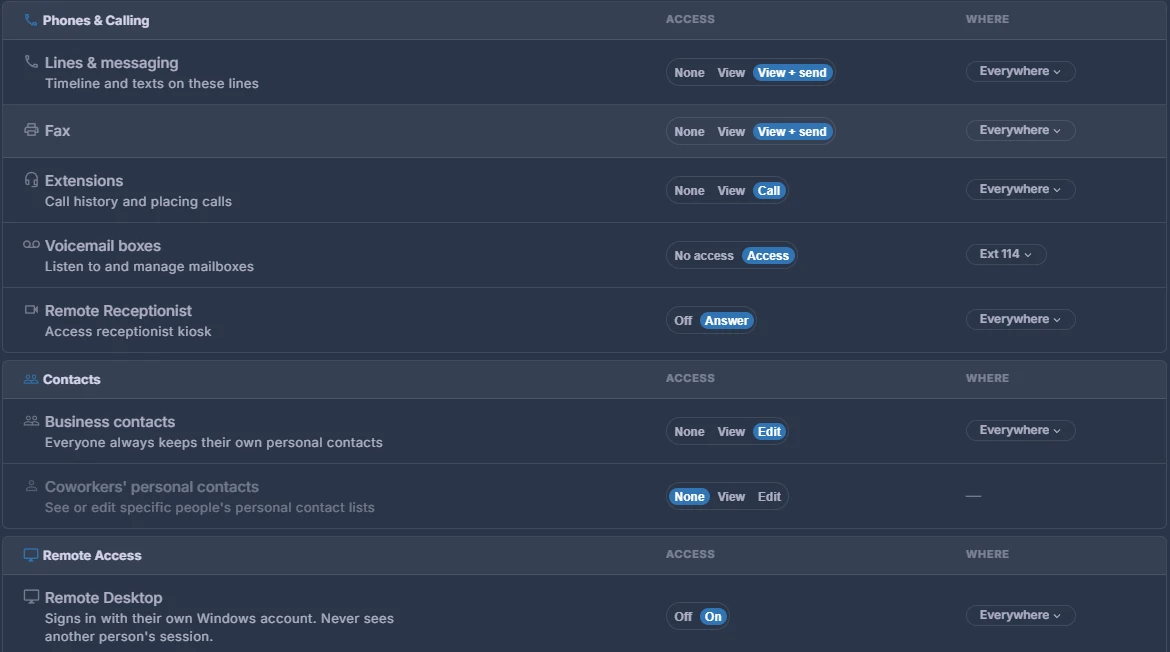
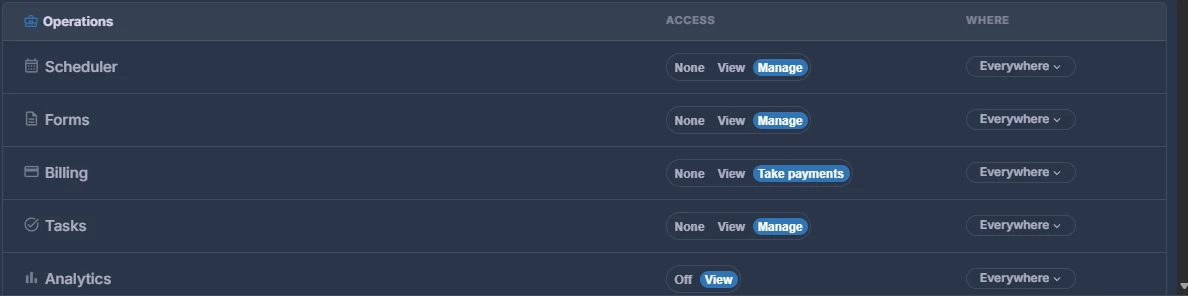
Permissions by group
Decide what each group can do, everywhere or office by office.
From the schedule and billing to phone lines, fax, voicemail boxes and remote desktop. New hires join a default group and can work right away.
- Groups that ring together
Add someone to a group, and they ring with the team and get the team's recurring tasks.
- Shared logins with PINs
Several people share a front-desk sign-in, each with their own profile.
- Your words, your modules
Patients or customers, rooms or operatories. Hide what you don't use.
Apps for phones and office computers
Android app, Windows office app and team chat.
Android: calls, texts, fax, voicemail and tasks. Windows: support chat, backup status and fax printing.
- HIPAA mode
A signed business associate agreement, and control over what gets emailed.
Beta features are live and in use, and still being refined with founding customers. Pilot means it works on our test setup and we're looking for the first offices to use it.
Looking for something that isn't listed? Ask us. If it's close to something we already do, it may already be on the way.